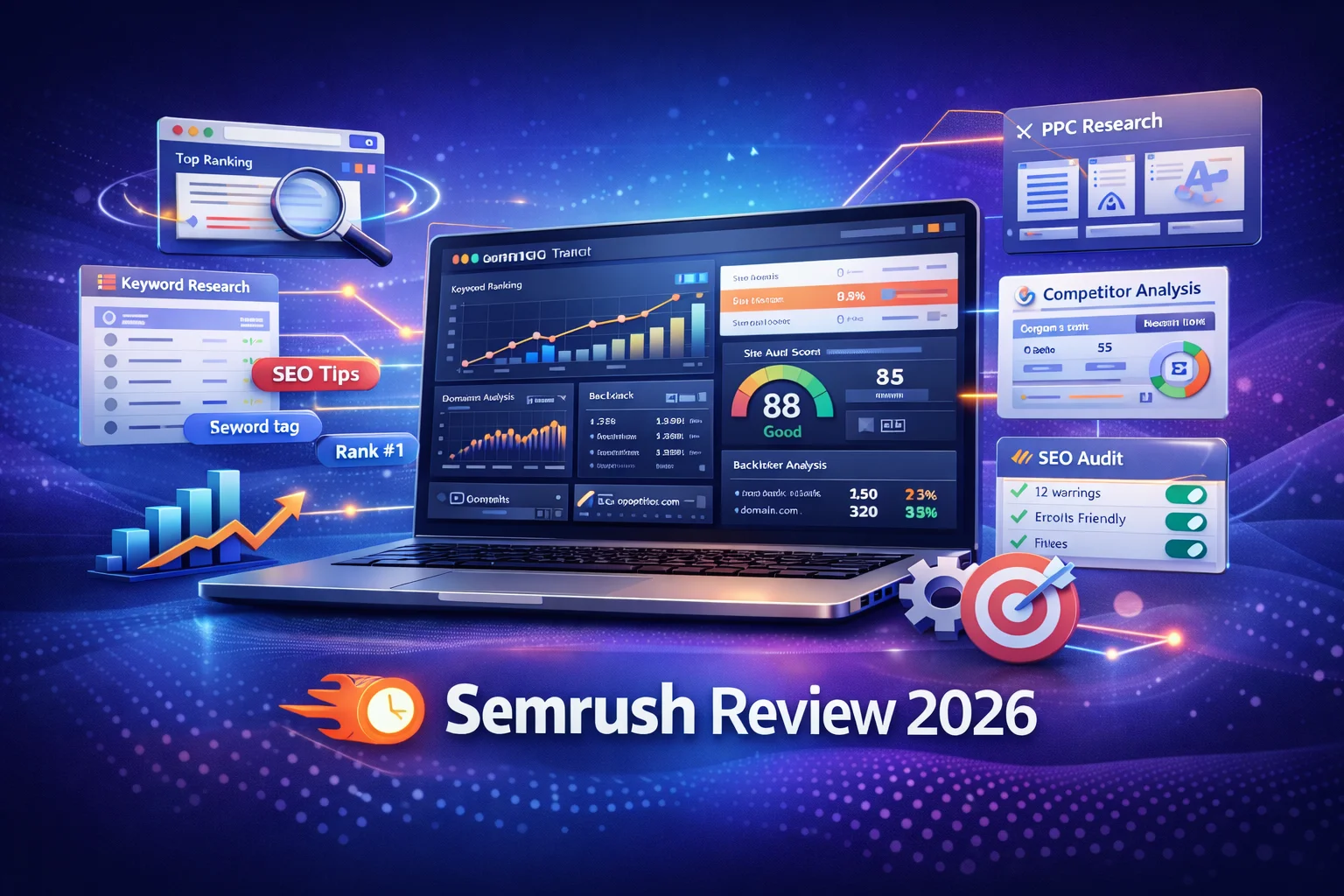
If you are researching SEO software in 2026, Semrush is almost impossible to ignore. It has grown from a traditional SEO suite into a broader search and visibility platform that now covers SEO, content, competitor research, rank tracking, backlink analysis, reporting, and even AI search visibility. On its official site, Semrush positions itself as a platform to grow and measure brand visibility across SEO, AI search, PPC, social, and more.
That positioning matters because the product is no longer just “a keyword tool.” For beginners, freelancers, in-house marketers, agencies, and growing businesses, Semrush is now closer to an operating system for search marketing. The real question is not whether it is powerful. The real question is whether it is worth the price, easy enough to learn, and actually the right fit for your workflow.
This review takes a practical approach. Instead of repeating generic marketing claims, it looks at what Semrush does well, where it feels expensive or complex, who should use it, and which features matter most in day-to-day SEO work. The focus is on the current product structure and official pricing available in 2026, especially the SEO Toolkit that most users start with.
What Is Semrush in 2026?
Semrush is a digital marketing platform with multiple toolkits. Its official product structure now includes the SEO Toolkit, AI Visibility Toolkit, Traffic & Market Toolkit, Content Toolkit, Local Toolkit, Social Toolkit, Advertising Toolkit, and AI PR Toolkit. In other words, Semrush has expanded beyond classic SEO and is now trying to cover visibility wherever search happens, including AI-generated search experiences.
For most readers of this review, the most relevant entry point is still the SEO Toolkit. That is the product built around keyword research, competitor analysis, site auditing, rank tracking, backlink analysis, keyword gap analysis, and reporting. It is also the easiest part of the platform to evaluate for businesses that want to improve organic traffic.
The short version is simple: Semrush is one of the most complete SEO platforms on the market, but it is not the cheapest and it is not the lightest. If you want a basic rank checker, it will feel excessive. If you want a serious platform that helps you research, plan, execute, and report on SEO campaigns, it becomes much easier to justify.
Who Semrush Is Best For
Semrush is best for users who need more than a single-purpose tool. That includes freelance SEOs, content marketers, agencies, startup teams, e-commerce businesses, and site owners who want keyword data, technical audits, competitor insights, and backlink research inside one platform. The official SEO Toolkit pricing page even frames its three main tiers around beginners and freelancers, growing agencies and teams, and established agencies or larger businesses.
For absolute beginners, Semrush can still work well, but only if you are ready to spend time learning the platform. One of its advantages is that Semrush Academy offers free courses and certifications across SEO, content, analytics, and Semrush tools. That educational layer makes the product more beginner-friendly than many expensive tools that give you a dashboard but not much guidance.
If your workflow depends on ongoing SEO content planning, competitor tracking, reporting to clients, and diagnosing technical issues, Semrush is a strong fit. If your needs are small, such as checking a few keywords or running a quick audit once a month, a lighter and cheaper tool may be enough.
Semrush Pricing in 2026
One of the most important parts of any Semrush review is pricing, because this is where many buyers hesitate. According to Semrush’s official SEO Toolkit pricing and limits page, the three main SEO Toolkit tiers are:
- Pro SEO Toolkit: $139.95/month
- Guru SEO Toolkit: $249.95/month
- Business SEO Toolkit: $499.95/month
Those are not entry-level prices for casual users, so the value depends on how much of the platform you will actually use. The same official page lists key usage limits:
- Pro: 5 websites to monitor, 500 keywords to track, 100,000 pages to crawl per month, 10,000 results per report
- Guru: 15 websites to monitor, 1,500 keywords to track, 300,000 pages to crawl per month, 30,000 results per report
- Business: higher limits plus advanced reporting and API-related capabilities, with 5,000 keywords tracked and up to 1,000,000 pages audited monthly mentioned in Semrush’s subscriptions documentation.
Guru also adds features such as Historical Data, Topic Research, SEO Content Template, SEO Writing Assistant, multi-targeting in Position Tracking, and Looker Studio reporting integrations. That makes Guru the more realistic tier for content-driven businesses and agencies, even though Pro is the most accessible starting point.
Semrush also uses a modular subscription model. Its subscriptions documentation says users can start with broader bundles like Semrush One and then add the toolkits they need. Separate pricing also exists for other modules such as the Content Toolkit and Local Toolkit. For example, Semrush’s own materials cite the Content Toolkit at $60/month and Local Base at $30/month per location.
The pricing takeaway is straightforward: Semrush is expensive for hobby projects, but not unreasonable for businesses that would otherwise pay for several separate tools.
Core Features That Make Semrush Worth Considering
1. Keyword Research
Keyword research remains one of Semrush’s strongest areas. Its Keyword Magic Tool is designed to surface keyword ideas, monthly search volume, keyword difficulty, and CPC data, using real Google searches according to Semrush’s own product page. That combination is important because beginners do not just need ideas; they need enough context to judge whether a keyword is realistic and commercially valuable.
For practical use, this means you can start with a seed keyword and quickly branch into related clusters, long-tail opportunities, and topical subthemes. This is exactly the kind of workflow needed for content planning, especially for affiliate sites, SaaS blogs, and service businesses. Semrush also offers a Keyword Strategy Builder that creates content maps around seed terms, which is useful if you are building topic clusters instead of isolated blog posts.
2. Competitor Research
This is one of the reasons Semrush stands out. The platform helps you see what competitors rank for, how their visibility compares to yours, and where the gaps are. Its SEO pages explicitly position competitor analysis as a core use case, and tools like Keyword Gap make it easier to identify missing terms and opportunities. Semrush’s official Keyword Gap documentation also shows generous daily query limits depending on subscription level, which matters if competitor research is a regular part of your workflow.
For beginners, competitor research is often the fastest route to better SEO decisions. Instead of guessing what to publish, you can study the sites already winning in your niche and reverse-engineer the patterns.
3. Site Audit
Technical SEO is the part many beginners avoid until rankings stall. Semrush’s Site Audit is one of the platform’s most useful features because it gives you a structured way to catch technical issues before they become larger problems. According to Semrush, the tool identifies hidden SEO issues, returns an overall SEO score, creates a prioritized to-do list, and provides a detailed report on what passed and what needs attention.
The limits are also substantial for paid users. Semrush’s Site Audit knowledge base says users without the SEO Toolkit can crawl 100 pages per month, while Pro, Guru, and Business can crawl 100,000, 300,000, and 1,000,000 pages per month respectively. A single audit can crawl up to 20,000 pages on Pro and Guru.
That makes the tool useful not only for small blogs but also for larger content sites and e-commerce stores.
4. Backlink Analysis and Backlink Audit
Backlinks still matter, and Semrush has invested heavily in this area. Its Backlink Analytics tool is described by Semrush as a backlink checker that lets you analyze any website’s backlink profile using its backlink database. Its Backlink Audit goes further by assessing link quality across more than 50 parameters and helping users inspect backlink health from different angles.
For beginners, backlink tools can feel overwhelming at first, but they become valuable once you start link building, competitor benchmarking, or cleaning up spammy domains.
5. Position Tracking
Semrush’s Position Tracking tool monitors rankings daily and lets users track by location, device type, and search engine. This is a genuinely useful feature because average rankings alone do not tell the full story. Local businesses, agencies, and niche sites often need location-specific data, not just global averages.
Rank tracking is also where many businesses begin to see the value of Semrush as an ongoing operational tool rather than a one-time research product.
6. Reporting and Integrations
Reporting matters more than many beginners realize. If you run SEO for clients, stakeholders, or a team, having recurring PDF reports and integrations can save a lot of time. Semrush’s SEO Toolkit pages mention scheduled PDF reports, while Guru adds Looker Studio integration. Its SEO product pages also highlight reporting that can blend Google Search Console, Google Analytics 4, and Semrush analytics.
That reporting layer is one reason agencies and in-house teams stick with Semrush even when cheaper tools exist.
Semrush and AI Search in 2026
One of the biggest changes in the Semrush product story is its push into AI search visibility. The official AI Visibility Toolkit page says the platform helps users benchmark brand visibility and mentions, analyze brand perception and sentiment against competitors, discover prompts and topics to target, track AI visibility daily, and audit technical issues that could block AI crawlers.
This matters because SEO in 2026 is no longer only about blue links. Brands increasingly care about visibility in AI-generated answers, AI Overviews, and conversational search environments. Semrush has clearly recognized that shift and is trying to extend its value beyond standard SERP rankings. Its blog and onboarding content now explicitly discuss AI search optimization and AI visibility workflows.
For many users, this will not be the first reason to buy Semrush. But it does make the platform more future-facing than tools that still focus narrowly on old-school rank tracking.
Real Pros of Semrush
Comprehensive feature set
The biggest strength of Semrush is that it covers almost every major SEO workflow in one place: keywords, audits, backlinks, competitor research, rank tracking, reporting, and content planning. That breadth reduces tool-switching and gives teams a more connected workflow.
Strong keyword and competitor research
Semrush remains especially strong for discovering keyword opportunities and understanding what competitors are doing. For content-focused sites, this is one of the most immediately useful benefits.
Useful for both SEO and content strategy
Features like Keyword Strategy Builder, SEO Content Template, Topic Research, and the Content Toolkit make the platform useful beyond technical SEO. It supports actual publishing workflows, not just analysis.
Excellent learning resources
Semrush Academy is a real advantage, especially for beginners. Free courses, certifications, and expert-led lessons reduce the intimidation factor and help justify the learning curve.
Positive user sentiment overall
On G2, Semrush holds a 4.5/5 rating across more than 3,400 reviews, and G2’s summary says users consistently praise the platform for comprehensive SEO tools, a user-friendly interface, and strong data insights that save time and improve marketing work.
Real Cons of Semrush
High pricing for small users
This is the most common drawback, and it is not a minor one. G2’s review summary explicitly notes that many users find Semrush expensive, especially for smaller businesses and freelancers. That aligns with the official pricing, which starts at $139.95/month for the SEO Toolkit.
Limits still matter on lower plans
Semrush is powerful, but the lower plans are not unlimited. Five websites to monitor and 500 tracked keywords on Pro will be enough for some users, but restrictive for agencies or larger content portfolios.
Learning curve
Semrush is more beginner-friendly than it used to be, but it is still a large platform. New users may feel overwhelmed because the product covers multiple workflows and many datasets. The platform is learnable, but not instant.
Complaints around subscription and cancellation experience
Trustpilot reviews include recurring complaints about subscription, payment, and cancellation friction. These are user-reported experiences, not official platform claims, but they are common enough to be worth noting if you are considering a trial or annual commitment.
Semrush for Beginners: Is It Too Much?
For beginners, Semrush can feel like a lot at first. But that does not automatically make it a bad beginner tool. In fact, if you are serious about learning SEO, a robust platform can speed up your progress because you can see keyword data, technical issues, rankings, and competitive gaps in one place.
The key is to start with a narrow workflow instead of trying to master everything at once. A good beginner sequence is:
- Connect your site and run a Site Audit.
- Use Keyword Magic Tool to build a target keyword list.
- Use Position Tracking for your important pages.
- Analyze 2–3 competitors.
- Build a simple content plan from keyword clusters.
That workflow alone can justify the tool for a content site or small business that depends on search traffic.
Semrush vs Cheaper Alternatives
This review is focused on Semrush, but the buying decision often comes down to value versus cheaper tools. If you only need keyword ideas or occasional audits, lower-cost tools can cover the basics. Where Semrush wins is the combination of breadth, workflow integration, reporting, and team-level usability.
Cheaper alternatives often force trade-offs. You may get decent keyword data but weaker backlink tools. Or you may get a solid crawler but limited competitor research. Semrush is not always the cheapest winner, but it is often the most complete one.
Final Verdict: Is Semrush Worth It in 2026?
Yes, Semrush is worth it in 2026 for users who need a serious SEO platform and will actually use its core workflows. Its keyword research, site audits, competitor analysis, backlink tools, position tracking, reporting, and educational resources make it one of the strongest all-in-one options in the market. Its newer focus on AI visibility also makes it more aligned with where search is heading.
At the same time, it is not the right fit for everyone. The price is real, the plan limits are real, and some users will find the platform heavier than they need. If you are running a hobby site or only need one narrow function, you can spend less elsewhere. If your business depends on organic search and you want one platform that helps you research, plan, optimize, and report, Semrush remains one of the best investments you can make.
FAQ’s
What is Semrush used for?
Semrush is an all-in-one digital marketing platform used for search engine optimization, keyword research, competitor analysis, backlink monitoring, and website audits. It helps businesses and marketers improve their search visibility and analyze competitor strategies using real search data.
Is Semrush good for beginners?
Yes, Semrush can be used by beginners, especially those learning SEO and digital marketing. The platform offers tutorials, guides, and educational resources that help new users understand keyword research, competitor analysis, and technical SEO optimization.
How much does Semrush cost in 2026?
Semrush pricing starts at around $139.95 per month for the Pro plan, which is designed for freelancers and small teams. The Guru plan costs about $249.95 per month, while the Business plan is around $499.95 per month, offering higher limits and advanced features.
Is Semrush better than other SEO tools?
Semrush is considered one of the most comprehensive SEO tools because it combines keyword research, site audits, backlink analysis, and competitor research in one platform. However, the best tool depends on your budget and SEO requirements.
Can Semrush improve website rankings?
Semrush itself does not directly improve rankings, but it provides data and insights that help optimize websites for search engines. By using its keyword research, site audits, and competitor analysis tools, users can create better SEO strategies and improve organic visibility.
Meta desc:
Looking for a detailed Semrush review? Explore features, pricing, keyword research tools, and competitor analysis to see if Semrush is worth it in 2026.