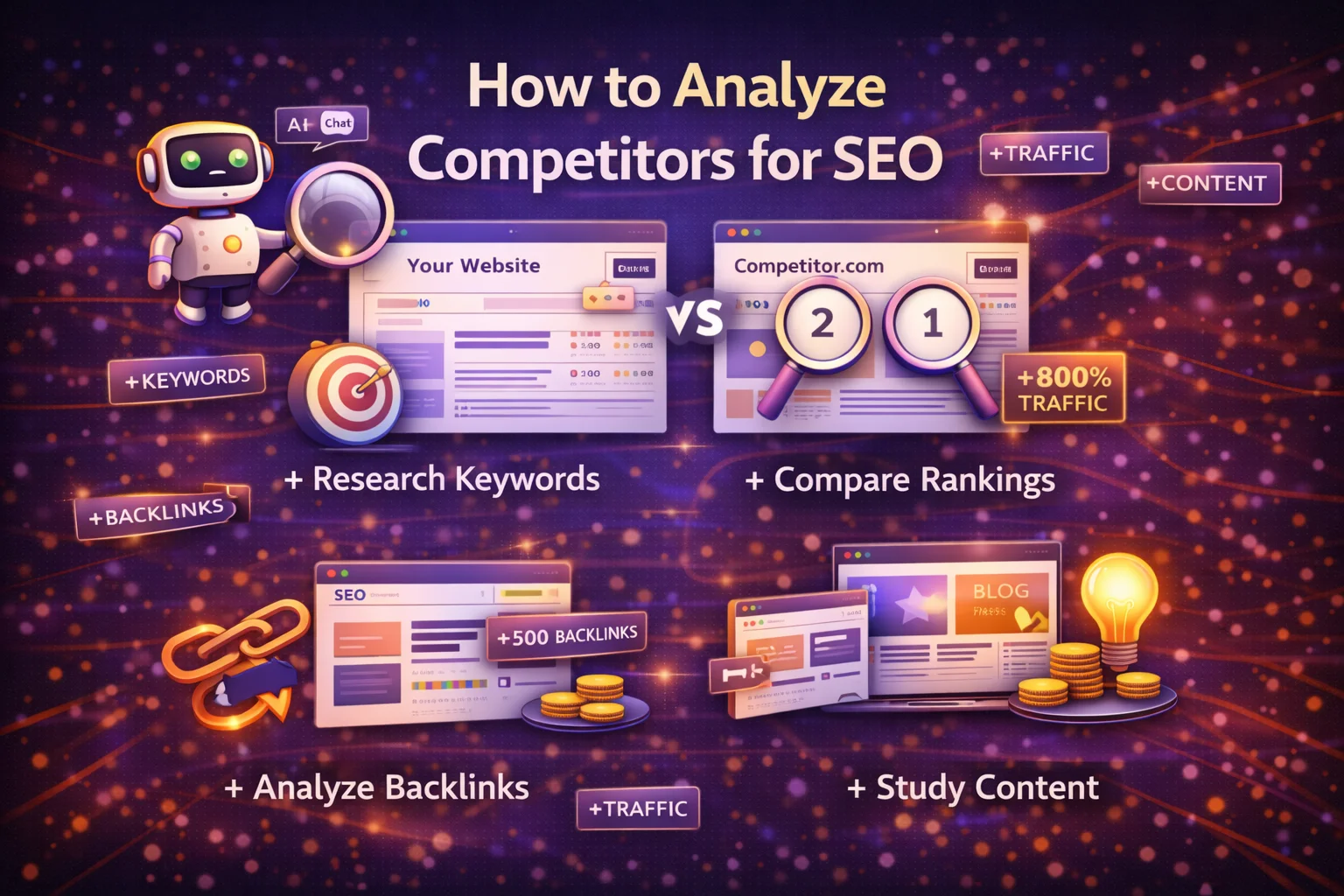
How to Analyze Competitors for SEO (Complete Beginner Guide)

Understanding what your competitors are doing in search engines is one of the fastest ways to improve your own SEO strategy. Instead of guessing which keywords to target or what content to create, competitor analysis allows you to learn from websites that are already ranking well in your niche.

SEO competitor analysis involves researching other websites that appear in search results for the same keywords you want to rank for. By studying their content, backlinks, and strategies, you can discover opportunities to improve your own website and attract more organic traffic.

In this complete beginner guide, you’ll learn how to analyze competitors for SEO in 2026, including the tools, strategies, and steps professionals use to identify ranking opportunities and outperform competing websites.


What Is SEO Competitor Analysis?

SEO competitor analysis is the process of evaluating websites that rank for your target keywords in search engines.

The goal is to understand:

  • what keywords competitors rank for
  • which pages drive their traffic
  • where their backlinks come from
  • how their content is structured

By analyzing these factors, you can identify gaps in your strategy and find ways to create better content.

Competitor analysis also helps you understand the competitive landscape of your niche and determine how difficult it will be to rank for certain keywords.


Why Competitor Analysis Is Important for SEO

SEO competitor analysis plays a crucial role in modern search optimization strategies.

Here are some of the main benefits.

Discover Profitable Keywords

Your competitors are already ranking for keywords that generate traffic. By identifying these keywords, you can target them in your own content.

Understand Content Strategies

Competitor analysis reveals the type of content that performs well in your niche.

You can see which topics attract the most traffic and which formats work best.

Identify Backlink Opportunities

Backlinks remain one of the most important ranking factors. Studying competitor backlinks helps you find websites that may also link to your content.

Improve Your SEO Strategy

By comparing your website with competitors, you can identify areas where your site needs improvement.


Identify Your Real SEO Competitors

Many beginners assume their competitors are businesses selling similar products or services.

However, in SEO, your real competitors are the websites that rank for the same keywords you want to target.

For example, if you search for a keyword like “keyword research tools,” the top results might include:

  • blogs
  • software companies
  • SEO tutorials

These websites become your SEO competitors because they compete for the same search traffic.

How to find competitors

  1. Search your main keyword on Google
  2. Analyze the websites appearing on the first page
  3. Identify websites consistently ranking for multiple related keywords

These sites are your main SEO competitors.


Analyze Competitor Keywords

Keyword analysis is one of the most important parts of competitor research.

Your competitors may already rank for hundreds or thousands of keywords.

Studying these keywords helps you discover:

  • new content ideas
  • high-traffic topics
  • long-tail keyword opportunities

How to analyze competitor keywords

  1. Identify competitor websites
  2. examine the keywords they rank for
  3. find keywords with moderate competition and strong search demand

Focus particularly on keywords where competitors receive significant traffic.

These keywords often represent the best opportunities for growth.


Evaluate Competitor Content

High-quality content plays a major role in search rankings.

Analyzing competitor content helps you understand what type of information search engines prefer for specific keywords.

When reviewing competitor pages, consider the following factors.

Content Length

Many high-ranking pages provide comprehensive coverage of a topic.

Long-form content often performs better because it answers more questions and provides deeper insights.

Content Structure

Well-structured content usually includes:

  • clear headings
  • bullet points
  • images and examples
  • internal links

This structure improves readability and user experience.

Search Intent Alignment

Successful pages match the intent behind the search query.

For example:

  • informational keywords require educational guides
  • comparison keywords require product comparisons
  • transactional keywords require product pages

Understanding search intent helps you create content that satisfies user expectations.


Analyze Competitor Backlinks

Backlinks remain one of the strongest ranking signals in search engine algorithms.

Competitor backlink analysis helps you identify websites that link to similar content.

These websites may also be willing to link to your pages.

Steps to analyze backlinks

  1. identify competitor websites
  2. review their backlink profiles
  3. find authoritative websites linking to them

Common backlink sources include:

  • guest articles
  • blog mentions
  • industry directories
  • research citations

Building relationships with these sources can help strengthen your own backlink profile.


Study Competitor Website Structure

Website structure plays an important role in SEO.

A well-organized site helps search engines understand how pages relate to each other.

Analyze competitor websites to see how they structure their content.

Look for patterns such as:

  • topic clusters
  • pillar pages
  • internal linking strategies

For example, many successful websites use a pillar and cluster model, where a main guide links to several supporting articles.

This structure improves both user navigation and search engine understanding.


Examine Technical SEO Performance

Technical factors can also influence search rankings.

When analyzing competitors, review aspects such as:

  • page loading speed
  • mobile responsiveness
  • URL structure
  • internal linking

Fast and well-optimized websites typically provide better user experiences and may perform better in search results.

Tools that analyze website performance can reveal technical strengths and weaknesses in competitor sites.


Identify Content Gaps

Content gaps are topics your competitors have not fully covered.

Finding these gaps allows you to create content that addresses unanswered questions or provides deeper insights.

How to find content gaps

  • compare competitor content topics
  • analyze missing subtopics
  • identify questions users ask but competitors have not answered

Publishing content that fills these gaps can help your website stand out in search results.


Analyze Top Performing Pages

Another effective strategy is identifying competitor pages that generate the most traffic.

These pages often reveal:

  • high-demand topics
  • successful content formats
  • valuable keyword opportunities

For example, if a competitor’s guide attracts significant traffic, you can create a more detailed and updated version of the same topic.

This approach is often called the “skyscraper technique” in SEO.


Tools for SEO Competitor Analysis

Many tools can help simplify competitor research.

These tools allow you to analyze:

  • keyword rankings
  • traffic estimates
  • backlink profiles
  • technical performance

Common SEO analysis tools provide data that would otherwise be difficult to collect manually.

Using these tools helps marketers make data-driven decisions when planning their content strategies.


Create a Competitor Analysis Workflow

To make competitor analysis easier, follow a structured workflow.

Step 1 – Identify your main competitors

Search your target keywords and list the websites appearing frequently in results.

Step 2 – Analyze competitor keywords

Identify high-traffic keywords driving traffic to competitor pages.

Step 3 – Review competitor content

Evaluate the depth, structure, and quality of their content.

Step 4 – Study backlinks

Look for opportunities to earn links from similar sources.

Step 5 – Identify gaps

Create content that improves on existing competitor pages.

Following this process ensures that competitor analysis becomes a consistent part of your SEO strategy.


Common Mistakes in Competitor Analysis

Beginners sometimes make mistakes when studying competitors.

Copying Competitor Content

Instead of copying, focus on improving and expanding existing ideas.

Ignoring Search Intent

Content must match what users expect from the search query.

Targeting Extremely Competitive Keywords

Highly competitive keywords may be difficult for new websites to rank for.

Focus on achievable opportunities first.

Overlooking Content Quality

Search engines reward content that provides genuine value to readers.


SEO Competitor Analysis Trends in 2026

SEO continues evolving as search engines become more advanced.

Several trends influence competitor analysis today.

AI-Powered Search

Search engines increasingly use AI to interpret content and deliver direct answers.

Topical Authority

Websites that cover topics comprehensively often rank better.

User Experience Signals

Search engines evaluate engagement metrics such as time on page and bounce rates.

Data-Driven SEO

Modern SEO strategies rely heavily on data analysis rather than guesswork.


Final Thoughts

Competitor analysis is one of the most powerful tools in SEO. By studying the strategies of websites that already rank well, beginners can gain valuable insights into what works in their niche.

Instead of starting from scratch, competitor research allows you to identify successful keywords, understand content trends, and uncover opportunities to create better resources.

In 2026, effective SEO requires more than publishing random content. It requires strategic planning, continuous analysis, and a deep understanding of both search engines and user intent.

By following the techniques in this guide, you can develop a strong SEO strategy that leverages competitor insights to grow your website’s visibility and attract sustainable organic traffic.

FAQ’s

1. What is SEO competitor analysis?

SEO competitor analysis is the process of studying websites that rank for your target keywords to understand their content, backlinks, keywords, and strategies so you can improve your own SEO performance.


2. Why is competitor analysis important for SEO?

Competitor analysis helps identify profitable keywords, understand successful content strategies, and discover backlink opportunities that can improve your search rankings and organic traffic.


3. How do beginners analyze SEO competitors?

Beginners can analyze competitors by searching their target keywords on Google, identifying top-ranking websites, studying their content and keywords, analyzing their backlinks, and finding gaps to create better content.


4. What tools are used for SEO competitor analysis?

Common tools used for SEO competitor analysis include keyword research platforms, backlink analysis tools, traffic analysis tools, and website audit tools that help analyze rankings, backlinks, and content strategies.


5. What is the easiest way to beat competitors in SEO?

The easiest way to outperform competitors is to create higher-quality content, target long-tail keywords, improve website performance, and build strong backlinks from authoritative websites.

How to Increase Website Traffic in 2026 (Proven Strategies)

Growing website traffic is one of the biggest challenges for bloggers, businesses, and digital marketers. Whether you run a blog, an ecommerce store, or a company website, more traffic often means more leads, sales, and brand visibility.

However, increasing traffic in 2026 requires more than publishing random blog posts or sharing links on social media. Modern search engines now rely heavily on user intent, content quality, technical performance, and authority signals to determine which websites deserve visibility.

This guide explains proven strategies to increase website traffic in 2026, covering SEO, content marketing, social media, and technical optimization techniques that work in today’s search environment.


Why Website Traffic Matters

Website traffic refers to the number of visitors who access your website. While traffic alone does not guarantee conversions, attracting the right audience can significantly improve your business results.

Increasing website traffic helps you:

  • grow brand awareness
  • generate leads and customers
  • improve search engine rankings
  • build authority in your niche

More importantly, organic traffic from search engines can generate long-term results without continuous advertising costs.


Strategy 1: Focus on SEO First

Search engine optimization (SEO) remains the most powerful method for driving consistent website traffic.

SEO helps websites rank in search engines like Google for relevant queries. The higher your pages appear in search results, the more likely users are to visit your site.

Modern SEO strategies focus on:

  • keyword research
  • content quality
  • backlinks
  • technical performance

Search engines evaluate hundreds of signals to determine rankings, including content relevance, page speed, and mobile usability.

Websites that follow SEO best practices typically experience steady traffic growth over time.


Strategy 2: Perform Keyword Research

Keyword research is the foundation of successful SEO.

Keywords represent the phrases users type into search engines. Identifying the right keywords allows you to create content that matches real search demand.

For example:

KeywordSearch Intent
best website buildercomparison
how to start a blogtutorial
keyword research toolsinformational

SEO experts emphasize that keyword research should be the first step when trying to grow organic traffic because keywords guide your entire content strategy.

Tips for finding profitable keywords

  • target long-tail keywords
  • analyze competitor keywords
  • focus on low-competition topics
  • understand search intent

Long-tail keywords often provide better opportunities for smaller websites because competition is lower.


Strategy 3: Create High-Quality Content

Content remains the most important factor for attracting organic traffic.

Search engines prioritize content that provides useful and comprehensive answers to user queries.

Effective content should:

  • solve a real problem
  • provide clear explanations
  • include examples and visuals
  • answer common questions

Search algorithms increasingly evaluate context and meaning rather than simple keyword usage, meaning content must be helpful and relevant rather than keyword-stuffed.

Publishing valuable content consistently builds authority and encourages visitors to return.


Strategy 4: Build Topic Clusters and Pillar Content

One of the most effective SEO strategies today is building topic clusters.

Instead of publishing isolated articles, create a central “pillar” page supported by multiple related articles.

Example structure:

Pillar topic

  • Complete SEO Guide

Supporting articles

  • Keyword research guide
  • On-page SEO checklist
  • Technical SEO guide
  • Backlink strategies

Search engines increasingly reward websites that cover topics comprehensively because it demonstrates expertise and authority.

Topic clusters also improve internal linking and user navigation.


Strategy 5: Improve On-Page SEO

On-page SEO refers to optimizing elements within individual pages.

Important on-page factors include:

  • title tags
  • meta descriptions
  • headings (H1, H2, H3)
  • internal links
  • image optimization

Optimizing these elements helps search engines understand your content and improves the user experience.

SEO best practices also recommend using descriptive titles, structured headings, and clear navigation to make content easier to read.


Strategy 6: Build High-Quality Backlinks

Backlinks remain one of the strongest ranking signals.

A backlink occurs when another website links to your content. These links act as “votes of confidence” that signal trust and authority to search engines.

Effective link-building strategies include:

  • guest blogging
  • digital PR
  • creating shareable content
  • publishing research studies

Modern SEO focuses more on quality backlinks rather than quantity, as authoritative links provide stronger ranking signals.


Strategy 7: Optimize Website Speed and User Experience

Website performance plays a major role in both rankings and user engagement.

Search engines consider page speed and user experience when ranking websites.

Important performance factors include:

  • fast loading times
  • mobile responsiveness
  • stable page layout
  • easy navigation

Core Web Vitals metrics such as loading speed and visual stability continue to be important ranking signals in modern SEO.

Websites that load quickly and provide smooth user experiences tend to retain visitors longer.


Strategy 8: Use Social Media to Amplify Content

Social media platforms can significantly increase website traffic when used strategically.

Instead of simply sharing links, successful marketers share engaging content that encourages users to click and learn more.

Effective social media strategies include:

  • sharing valuable insights from blog posts
  • posting engaging visuals
  • interacting with your audience

Active social media profiles also improve brand visibility and can drive new visitors to your website.


Strategy 9: Update and Refresh Old Content

Many websites overlook one of the easiest ways to increase traffic: updating existing content.

Search engines favor fresh and accurate information. Updating older articles with new data, examples, and insights can improve rankings.

Content updates may include:

  • adding new sections
  • improving readability
  • updating statistics
  • fixing outdated information

Refreshing content also signals to search engines that your website remains relevant and active.


Strategy 10: Optimize for AI-Driven Search

Search behavior is changing rapidly as AI-powered search engines and generative answers become more common.

Nearly half of users now interact with AI-driven search systems, which means content must be structured clearly so AI tools can interpret it.

To optimize for AI search:

  • write clear explanations
  • structure content with headings
  • answer questions directly
  • include factual information

This approach improves visibility in both traditional search results and AI-generated responses.


Strategy 11: Use Internal Linking

Internal linking helps search engines discover pages and understand relationships between topics.

A strong internal linking structure can:

  • distribute authority across pages
  • improve user navigation
  • increase time on site

For example, linking related guides and tutorials encourages visitors to explore more content.


Strategy 12: Monitor Traffic and SEO Performance

Growing traffic requires ongoing analysis and improvement.

Tracking tools can help you understand:

  • which pages generate traffic
  • which keywords drive visitors
  • where visitors come from

Data analysis allows you to refine your strategy and focus on the most effective traffic sources.


Common Website Traffic Mistakes

Many websites struggle to grow traffic because of these mistakes:

Publishing Content Without Keyword Research

Without understanding search demand, content may fail to attract visitors.

Ignoring Search Intent

Content must match what users expect to find.

Low-Quality Content

Search engines prioritize helpful and authoritative information.

Poor Website Performance

Slow loading speeds and poor mobile design can reduce rankings.

Avoiding these mistakes is essential for long-term growth.


Website Traffic Trends in 2026

The digital marketing landscape continues evolving rapidly.

Several trends are shaping website traffic strategies today:

AI-Driven Search

Search engines increasingly use AI to interpret user queries and provide direct answers.

Topical Authority

Websites that publish multiple related articles on a topic tend to rank higher.

User Experience Signals

Engagement metrics such as time on page and interaction rates influence search visibility.

Multi-Channel Traffic

Traffic no longer comes only from search engines. Social media, AI platforms, and referral links also play a growing role.


Final Thoughts

Increasing website traffic in 2026 requires a strategic and consistent approach. The most successful websites combine SEO, high-quality content, technical optimization, and audience engagement to build sustainable traffic growth.

Rather than focusing on quick tactics, the key is to create valuable content, optimize your website for search engines, and continuously improve your strategy based on data.

By implementing the proven strategies in this guide—keyword research, content creation, backlink building, and performance optimization—you can build a strong foundation for long-term website growth and attract a steady stream of visitors to your site.

FAQ’s

1. How can beginners increase website traffic?

Beginners can increase website traffic by focusing on SEO, performing keyword research, creating helpful content, building backlinks, and promoting content through social media and email marketing.


2. What is the fastest way to increase website traffic?

The fastest ways to increase website traffic include publishing high-quality SEO content, targeting low-competition keywords, sharing content on social media, and building backlinks from relevant websites.


3. Does SEO help increase website traffic?

Yes, SEO is one of the most effective ways to increase website traffic because it helps websites rank higher in search engine results, bringing consistent organic visitors.


4. How long does it take to increase website traffic with SEO?

SEO typically takes 3 to 6 months to show noticeable traffic growth, depending on keyword competition, website authority, and content quality.


5. What are the best strategies to increase organic traffic in 2026?

The best strategies include keyword research, creating high-quality content, building topical authority, improving technical SEO, earning backlinks, and optimizing for AI-driven search results.

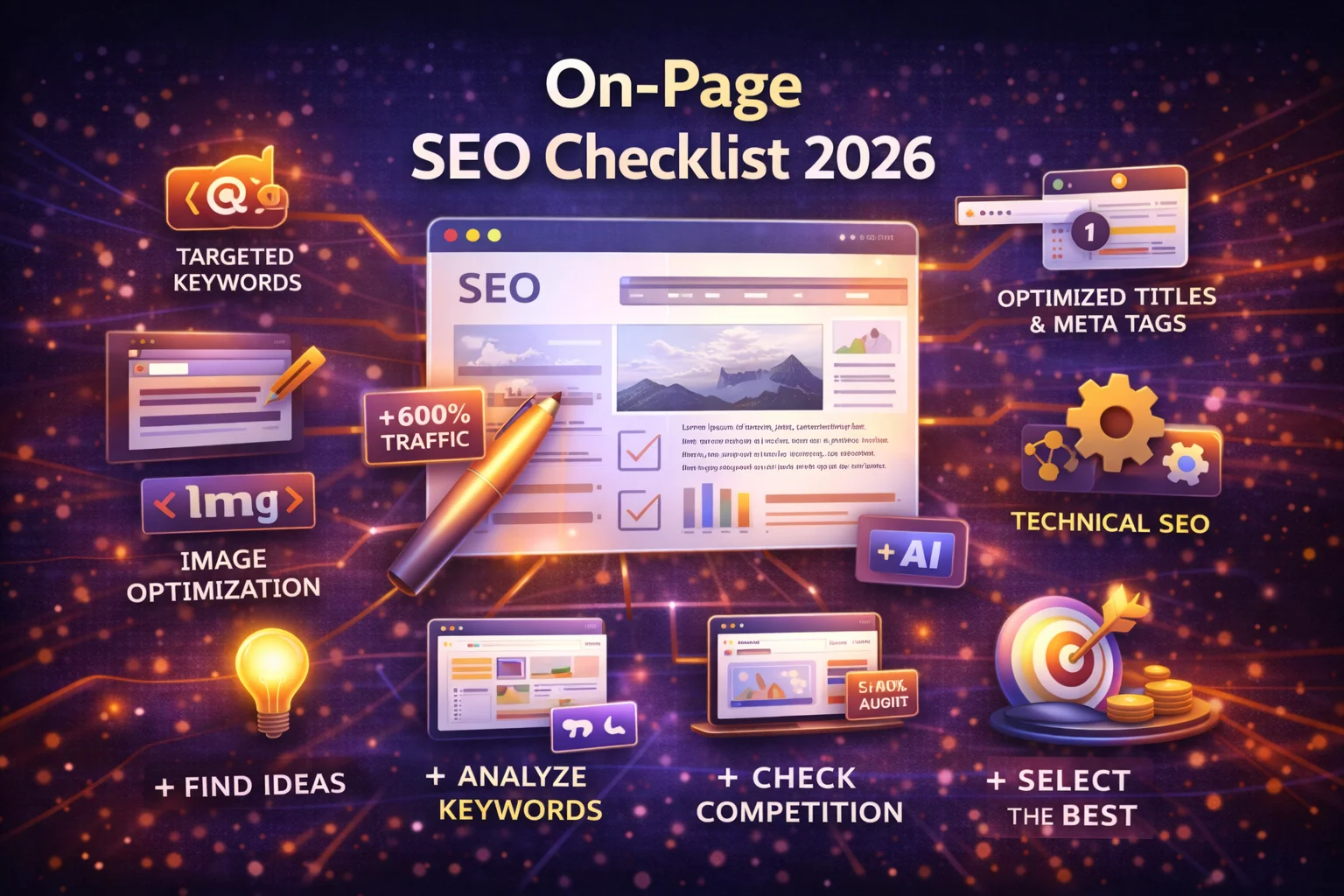
On-Page SEO Checklist 2026: How to Optimize Your Website Step by Step

On-page SEO is one of the most important aspects of search engine optimization. While backlinks and technical factors also influence rankings, optimizing the content and structure of individual pages is often the first step toward improving search visibility.

In simple terms, on-page SEO refers to the practice of optimizing elements within a web page to improve its ranking in search engine results and provide a better user experience. These elements include content quality, keyword placement, headings, internal links, page speed, and more.

For beginners, understanding and implementing on-page SEO can dramatically increase the chances of ranking higher on search engines like Google. This guide provides a complete on-page SEO checklist for 2026, covering the most important factors that help websites rank in modern search results.


What Is On-Page SEO?

On-page SEO involves optimizing the content and HTML elements of a page so that search engines can understand it and rank it appropriately. Unlike off-page SEO, which focuses on backlinks and external signals, on-page SEO is entirely under your control.

Examples of on-page SEO factors include:

  • keyword optimization
  • title tags and meta descriptions
  • internal linking
  • content quality
  • page structure
  • mobile usability

Search engines analyze these elements to determine whether a page provides relevant and valuable information for users.


Why On-Page SEO Matters in 2026

Search engines have evolved significantly in recent years. Modern algorithms use artificial intelligence and advanced natural language processing to evaluate content quality and relevance.

Despite these advancements, on-page SEO remains essential because it helps search engines interpret your content and understand its context.

Key benefits of on-page SEO

  • Improves search engine rankings
  • Helps search engines understand page content
  • Enhances user experience
  • Increases organic traffic
  • Improves click-through rates

When implemented correctly, on-page optimization ensures that your website communicates clearly with both users and search engines.


The Complete On-Page SEO Checklist

Below is a step-by-step checklist beginners can follow to optimize their pages effectively.


1. Perform Keyword Research First

Every successful SEO strategy starts with keyword research. Before creating content, you must identify the keywords people search for related to your topic.

Keyword research helps you discover:

  • search demand
  • keyword difficulty
  • user intent

Focus on keywords that have:

  • moderate search volume
  • lower competition
  • clear search intent

Long-tail keywords are particularly valuable for beginners because they are easier to rank for.

Example:

Instead of targeting:

SEO tools

Target:

best SEO tools for beginners


2. Optimize the Title Tag

The title tag is one of the most important on-page SEO elements.

It tells search engines and users what your page is about and appears as the clickable headline in search results.

Best practices for title tags

  • include your primary keyword
  • keep it under 60 characters
  • make it engaging for users

Example:

Complete On-Page SEO Checklist for Beginners (2026 Guide)

A well-optimized title tag can significantly improve click-through rates.


3. Write a Compelling Meta Description

Meta descriptions summarize your page content and appear below the title in search results.

Although meta descriptions are not a direct ranking factor, they strongly influence click-through rates.

Best practices

  • keep length around 150–160 characters
  • include your main keyword
  • highlight the value of the content

Example:

“Learn the complete on-page SEO checklist for beginners in 2026. Optimize titles, content, internal links, and technical factors to rank higher in Google.”


4. Use Proper Heading Structure

Headings organize your content and make it easier for both readers and search engines to understand.

Use headings in a logical hierarchy.

Example:

  • H1 – main title
  • H2 – main sections
  • H3 – subtopics

A clear structure improves readability and helps search engines identify important topics within your content.


5. Optimize Content for Search Intent

Search intent refers to the reason behind a user’s search query.

Search engines prioritize pages that satisfy the user’s intent.

There are four main types of search intent:

Intent TypeExample
Informationalwhat is SEO
NavigationalYouTube login
Commercialbest SEO tools
Transactionalbuy website builder

Before writing content, analyze the top search results for your keyword to understand what users expect.


6. Write High-Quality Content

Content quality remains one of the most important ranking factors.

Your content should be:

  • helpful
  • accurate
  • well-structured
  • comprehensive

Modern search algorithms prioritize content that demonstrates expertise and provides clear value.

High-quality content also increases engagement and reduces bounce rates.


7. Use Internal Links

Internal links connect pages within your website.

They help search engines discover content and distribute authority across your site.

Example internal links:

  • linking related blog posts
  • linking product pages from guides
  • linking tutorials from category pages

Internal linking also improves user navigation and encourages visitors to explore more content.


8. Optimize Images

Images play an important role in both user experience and SEO.

However, large images can slow down page speed.

Image optimization tips

  • compress images to reduce file size
  • use descriptive file names
  • add alt text

Alt text helps search engines understand what the image represents and improves accessibility.


9. Improve Page Loading Speed

Page speed is a ranking factor because slow websites create poor user experiences.

Users expect websites to load quickly, especially on mobile devices.

Ways to improve page speed include:

  • compressing images
  • using fast hosting
  • minimizing scripts
  • enabling caching

Faster websites generally achieve better engagement and rankings.


10. Ensure Mobile-Friendly Design

Most internet users now access websites on mobile devices.

Search engines prioritize mobile-friendly websites in search results.

Your pages should:

  • adapt to smaller screens
  • use readable fonts
  • provide easy navigation

Responsive design ensures your content looks good on all devices.


11. Use SEO-Friendly URLs

URLs should be simple, descriptive, and include relevant keywords.

Example:

Bad URL:

example.com/page?id=123

Good URL:

example.com/on-page-seo-checklist

Clean URLs improve readability and help search engines understand page topics.


12. Add Schema Markup

Schema markup helps search engines understand the structure of your content.

It can also improve visibility in search results by enabling rich snippets.

Examples include:

  • FAQ schema
  • article schema
  • product schema

Structured data enhances how your pages appear in search results.


13. Optimize for Featured Snippets

Featured snippets appear at the top of search results and provide quick answers to user queries.

To increase your chances of appearing in snippets:

  • answer questions clearly
  • use lists and tables
  • provide concise explanations

Content structured this way is easier for search engines to extract.


14. Monitor SEO Performance

SEO is an ongoing process.

Track your results using analytics and search console tools to understand:

  • keyword rankings
  • organic traffic
  • click-through rates

Regular monitoring helps identify opportunities for improvement.


Common On-Page SEO Mistakes

Many beginners make mistakes that limit their SEO performance.

Keyword stuffing

Using keywords excessively can harm readability and rankings.

Ignoring search intent

Content must align with user expectations.

Poor internal linking

Internal links help distribute authority and improve navigation.

Low-quality content

Thin or poorly written content rarely ranks well.

Avoiding these mistakes is essential for long-term SEO success.


On-Page SEO Trends in 2026

SEO continues evolving as search engines become more sophisticated.

Several trends are shaping modern on-page optimization.

AI-powered search

Search engines use AI to interpret content and understand context more accurately.

Topical authority

Websites that cover topics deeply across multiple pages perform better in search results.

E-E-A-T signals

Google evaluates content based on experience, expertise, authoritativeness, and trustworthiness.

User experience signals

Engagement metrics such as time on page and bounce rate influence rankings.


Final Thoughts

On-page SEO is the foundation of any successful SEO strategy. By optimizing your content, page structure, and technical elements, you help search engines understand your website and improve your chances of ranking higher in search results.

For beginners, the most important steps include conducting keyword research, writing high-quality content, optimizing titles and headings, improving page speed, and ensuring mobile usability.

As search engines continue evolving in 2026, focusing on user intent, content quality, and technical optimization will remain essential for long-term SEO success.

By following this on-page SEO checklist consistently, you can build a strong foundation that helps your website grow its visibility and attract sustainable organic traffic.

FAQ’s

1. What is on-page SEO?

On-page SEO refers to optimizing elements within a web page—such as content, title tags, headings, internal links, and images—to improve its ranking in search engine results.


2. Why is on-page SEO important for ranking on Google?

On-page SEO helps search engines understand your content and determine its relevance to user queries. Proper optimization improves visibility, increases organic traffic, and enhances user experience.


3. What are the most important on-page SEO factors?

Key on-page SEO factors include keyword optimization, high-quality content, title tags, meta descriptions, internal linking, mobile-friendliness, page speed, and proper heading structure.


4. How do beginners optimize a page for SEO?

Beginners can optimize pages by performing keyword research, writing helpful content, using clear headings, optimizing titles and meta descriptions, adding internal links, and ensuring fast page loading speed.


5. Does on-page SEO still matter in 2026?

Yes, on-page SEO remains one of the most important ranking factors in 2026 because it helps search engines understand content relevance, improves user experience, and supports topical authority.

Technical SEO Basics: A Beginner’s Guide to Website Optimization (2026)

Search engine optimization involves many different strategies, but technical SEO forms the foundation that allows search engines to properly crawl, understand, and rank your website. Without a solid technical structure, even the best content may struggle to perform well in search results.

Technical SEO focuses on optimizing the backend infrastructure of a website so search engines can efficiently access and index its pages. While on-page SEO deals with content and keywords, technical SEO ensures that the website itself is structured in a way that search engines can interpret correctly.

For beginners, technical SEO might sound complex, but the core principles are straightforward once you understand the key components. In this guide, we’ll explore technical SEO basics, why it matters in 2026, and how to optimize your website step-by-step to improve visibility in search engines.


What Is Technical SEO?

Technical SEO refers to the process of improving the technical aspects of a website so search engines can crawl, index, and render pages efficiently.

Search engines rely on automated bots to scan websites and gather information about their content. If a site has technical issues such as slow loading speeds, broken links, or poor structure, these bots may struggle to access the pages.

Technical SEO addresses issues such as:

  • website speed
  • mobile responsiveness
  • website architecture
  • crawlability and indexing
  • security (HTTPS)
  • structured data

By resolving these technical factors, websites can improve their chances of ranking higher in search results.


Why Technical SEO Is Important in 2026

Search engines have become increasingly sophisticated in evaluating websites. In 2026, ranking algorithms rely heavily on factors related to user experience, page performance, and accessibility.

Here are several reasons why technical SEO is essential.

1. Helps Search Engines Crawl Your Website

Search engines discover content through crawling. If your site structure prevents bots from accessing pages, those pages may never appear in search results.

2. Improves User Experience

Technical improvements such as faster loading speeds and mobile-friendly design create a better experience for visitors.

Better user experiences often lead to higher engagement and improved rankings.

3. Supports Modern Search Algorithms

Modern search engines evaluate website performance through metrics such as Core Web Vitals, which measure loading speed, visual stability, and responsiveness.

4. Strengthens Overall SEO Strategy

Technical SEO works alongside content and backlink strategies to create a well-optimized website.

Without technical optimization, other SEO efforts may produce limited results.


How Search Engines Crawl and Index Websites

Understanding how search engines work is essential for technical SEO.

Search engines generally follow three steps:

Crawling

Search engine bots explore the web by following links between pages. These bots collect information about website content and structure.

Indexing

After crawling a page, the search engine analyzes its content and stores it in a massive database known as the index.

Ranking

When users search for information, the search engine retrieves relevant pages from its index and ranks them based on hundreds of factors.

Technical SEO ensures that your website is easy to crawl, index, and understand during these processes.


Key Elements of Technical SEO

Technical SEO includes several important components that help search engines access and evaluate websites effectively.


Website Speed and Performance

Page speed is one of the most important technical SEO factors.

Slow websites frustrate users and increase bounce rates. Search engines also consider loading speed when determining rankings.

Ways to improve page speed include:

  • compressing images
  • minimizing CSS and JavaScript files
  • using fast hosting
  • enabling browser caching
  • implementing a content delivery network (CDN)

Faster websites not only improve SEO but also enhance user satisfaction.


Mobile-Friendly Design

More than half of global web traffic now comes from mobile devices.

Search engines use mobile-first indexing, meaning they evaluate the mobile version of a website when determining rankings.

A mobile-friendly website should:

  • display properly on small screens
  • use responsive layouts
  • maintain readable text sizes
  • include easy navigation

Ensuring mobile compatibility is essential for both SEO and user experience.


Website Structure and Architecture

A well-organized website structure helps search engines understand how pages relate to each other.

Good website architecture typically follows a logical hierarchy.

Example structure:

Homepage
→ Category pages
→ Subcategory pages
→ Individual content pages

This structure helps search engines crawl pages efficiently and distribute authority throughout the site.

Internal linking also plays an important role in strengthening site architecture.


XML Sitemap

An XML sitemap is a file that lists all important pages on a website.

It helps search engines discover content more efficiently and understand the structure of your website.

Submitting a sitemap to search engines ensures that new pages are indexed faster.

Most modern content management systems automatically generate XML sitemaps.


Robots.txt File

The robots.txt file provides instructions to search engine bots about which pages they can or cannot crawl.

This file is useful for preventing bots from accessing:

  • duplicate content pages
  • administrative areas
  • staging environments

However, it is important to configure robots.txt carefully to avoid accidentally blocking important pages.


Secure HTTPS Connection

Security is another critical technical SEO factor.

Websites using HTTPS encryption protect user data and establish trust with visitors.

Search engines consider HTTPS a ranking signal, meaning secure websites may receive better visibility in search results.

Most modern hosting providers offer SSL certificates that enable HTTPS connections.


Structured Data and Schema Markup

Structured data helps search engines better understand the meaning of website content.

Schema markup allows websites to provide additional context about their pages.

Examples include:

  • product information
  • reviews and ratings
  • FAQs
  • events

Structured data can also enable rich snippets, which display additional information in search results and improve click-through rates.


Core Web Vitals

Core Web Vitals are a set of metrics that evaluate user experience based on three factors:

Largest Contentful Paint (LCP)

Measures how quickly the main content loads.

First Input Delay (FID)

Measures how responsive a page is when users interact with it.

Cumulative Layout Shift (CLS)

Measures visual stability and layout changes during page loading.

Improving these metrics can enhance both user experience and SEO performance.


Crawl Errors and Broken Links

Broken links and crawl errors can negatively affect search engine performance.

Common crawl issues include:

  • 404 errors
  • broken internal links
  • redirect chains

Regular website audits help identify and fix these problems.

Maintaining a healthy link structure ensures search engines can navigate your website effectively.


Duplicate Content

Duplicate content occurs when multiple pages contain identical or very similar content.

Search engines may struggle to determine which version should appear in search results.

Solutions include:

  • canonical tags
  • redirects
  • proper URL structure

Managing duplicate content helps consolidate ranking signals and improve visibility.


Internal Linking Strategy

Internal links connect related pages within your website.

These links help search engines:

  • discover new pages
  • understand topic relationships
  • distribute authority across pages

A strong internal linking strategy also encourages visitors to explore additional content on your site.


Technical SEO Tools

Several tools can help monitor and improve technical SEO performance.

Common tools include:

  • website audit platforms
  • performance monitoring tools
  • search console dashboards
  • page speed analyzers

These tools analyze websites and identify technical issues that require attention.

Regular audits ensure your website remains technically optimized.


Common Technical SEO Mistakes

Many beginners overlook technical issues that can impact rankings.

Here are some common mistakes to avoid.

Slow Website Performance

Slow loading speeds reduce user engagement and negatively affect rankings.

Poor Mobile Optimization

Websites that do not function well on mobile devices may struggle in search results.

Missing XML Sitemaps

Without a sitemap, search engines may miss important pages.

Broken Links

Broken links can harm both user experience and crawlability.

Addressing these issues early can prevent long-term SEO problems.


Technical SEO Trends in 2026

Technical SEO continues evolving alongside search engine technology.

Several trends are shaping the future of website optimization.

AI-Driven Search

Search engines increasingly rely on AI to interpret content and understand context.

Performance-Focused Ranking Signals

User experience metrics such as page speed and interactivity remain essential.

Structured Data Expansion

Search engines are using structured data more extensively to generate enhanced search results.

Site Architecture and Topical Authority

Websites with clear structure and comprehensive topic coverage perform better in search rankings.


Final Thoughts

Technical SEO is a crucial part of building a successful website. While content and backlinks play major roles in SEO, technical optimization ensures that search engines can properly access and evaluate your website.

By focusing on factors such as website speed, mobile optimization, structured data, and crawlability, beginners can create a strong technical foundation that supports long-term SEO growth.

As search engines continue evolving in 2026, websites that prioritize performance, accessibility, and user experience will be better positioned to achieve higher rankings and attract sustainable organic traffic.

With consistent monitoring and improvements, technical SEO can become one of the most powerful tools for improving your website’s visibility and overall online success.

FAQ’s

1. What is technical SEO?

Technical SEO refers to optimizing the technical aspects of a website—such as page speed, mobile friendliness, indexing, and site structure—to help search engines crawl and rank pages more effectively.


2. Why is technical SEO important for ranking on Google?

Technical SEO ensures search engines can access, crawl, and index your website properly. Without technical optimization, even high-quality content may struggle to rank in search results.


3. What are the most important technical SEO factors?

Key technical SEO factors include website speed, mobile optimization, secure HTTPS connection, XML sitemaps, structured data, internal linking, and Core Web Vitals performance.


4. How can beginners improve technical SEO?

Beginners can improve technical SEO by optimizing website speed, fixing broken links, submitting XML sitemaps, ensuring mobile responsiveness, and monitoring site performance through SEO tools.


5. Does technical SEO still matter in 2026?

Yes, technical SEO remains essential in 2026 because search engines prioritize fast, secure, mobile-friendly websites that provide a strong user experience.

Keyword Research for Beginners: How to Find Profitable Keywords in 2026

Keyword research is the foundation of every successful SEO strategy. If you want your website to attract organic traffic from search engines, you must understand what people are searching for online and create content that answers those searches.

In simple terms, keyword research is the process of discovering and analyzing the search terms people type into search engines so you can create content that ranks for those queries.

Without keyword research, you risk publishing content that no one is searching for. But when you target the right keywords, your website can attract consistent traffic from users actively looking for information, products, or services.

In this beginner-friendly guide, you’ll learn how keyword research works, why it matters in 2026, and how to find profitable keywords step-by-step using modern SEO strategies.


What Is Keyword Research?

Keyword research is the process of identifying search queries your target audience uses and analyzing their search volume, competition level, and intent.

These keywords act as a bridge between what users search for and the content you create on your website.

For example:

Search QueryContent Opportunity
best SEO toolsComparison article
how to do keyword researchTutorial guide
Wix vs SquarespaceProduct comparison

If your website ranks for these queries, users searching for them can discover your content.


Why Keyword Research Is Important

Keyword research is not just about finding popular words. It helps you understand your audience and create content that meets their needs.

1. Discover Real Search Demand

Keyword research ensures that people are actually searching for the topics you want to write about.

If a keyword has no search demand, ranking for it will not generate traffic.

2. Attract Targeted Visitors

The right keywords bring visitors who are already interested in your topic or product.

This means higher engagement and better conversion potential.

3. Understand Your Audience

Keyword research reveals:

  • common questions users ask
  • problems they want solved
  • products they want to buy

Understanding these searches allows you to create more useful content.

4. Analyze Competitor Strategies

By studying the keywords competitors rank for, you can identify new opportunities and improve your own SEO strategy.


Types of Keywords in SEO

Before learning how to find keywords, it’s important to understand the main types.

Short-Tail Keywords

Short-tail keywords are broad search terms consisting of one or two words.

Example:

  • SEO tools
  • website builder

These keywords usually have high search volume but intense competition.


Long-Tail Keywords

Long-tail keywords are longer, more specific search phrases.

Example:

  • best SEO tools for beginners
  • how to build a website with Wix

Long-tail keywords are easier to rank for and often attract more targeted traffic.

For beginners, long-tail keywords are usually the best starting point.


Commercial Keywords

These keywords indicate that users are researching products or services.

Example:

  • best keyword research tools
  • Semrush vs Ahrefs

Commercial keywords often lead to higher conversions.


Informational Keywords

Informational keywords focus on learning or answering questions.

Example:

  • what is SEO
  • how does keyword research work

These keywords are ideal for blog posts and guides.


Key Metrics to Evaluate Keywords

When choosing keywords, you should evaluate several metrics.

Search Volume

Search volume shows how many people search for a keyword each month.

Higher search volume means more potential traffic.


Keyword Difficulty

Keyword difficulty measures how hard it will be to rank for a keyword.

Highly competitive keywords usually require strong authority and backlinks.


Search Intent

Search intent refers to the purpose behind a search query.

There are four main types:

Intent TypeExample
Informationalwhat is SEO
NavigationalYouTube login
Commercialbest website builder
Transactionalbuy SEO software

Understanding search intent helps create content that satisfies user expectations.


Step-by-Step Keyword Research Process

Now let’s explore the practical process beginners can follow.


Step 1: Identify Seed Keywords

Seed keywords are the starting point for keyword research.

These are broad terms related to your topic or business.

Examples:

  • SEO tools
  • website builder
  • digital marketing

To find seed keywords:

  • list your products or services
  • review competitor websites
  • analyze your website categories

These broad terms will help generate hundreds of keyword ideas.


Step 2: Use Keyword Research Tools

Keyword research tools provide data about search volume, competition, and keyword suggestions.

Popular tools include:

  • Google Keyword Planner
  • SEO research platforms
  • keyword suggestion tools

These tools allow you to explore related keywords and discover opportunities.

Modern tools can also analyze competitor rankings and search trends.


Step 3: Analyze Keyword Difficulty

Beginners should avoid extremely competitive keywords.

Instead, focus on:

  • medium search volume
  • low competition

This increases your chances of ranking faster.

For example:

KeywordDifficultyStrategy
SEO toolsHighHard to rank
best SEO tools for beginnersMediumGood target

Step 4: Find Long-Tail Opportunities

Long-tail keywords are one of the most effective strategies for beginners.

They usually:

  • have lower competition
  • attract targeted visitors
  • rank faster in search results

Example:

Instead of targeting:

“website builder”

Target:

“best website builder for photographers”

This strategy increases ranking opportunities.


Step 5: Analyze Competitor Keywords

Competitor analysis is one of the fastest ways to find profitable keywords.

Look at websites ranking for your target topics and analyze:

  • their top keywords
  • their most popular pages
  • their content strategy

This helps identify keyword gaps your website can target.


Step 6: Check Search Intent

Before choosing a keyword, examine the search results page.

Ask:

  • Are the results blog posts?
  • Are they product pages?
  • Are they comparisons?

If the top results are tutorials, you should create a tutorial.

Matching search intent improves ranking potential.


Step 7: Build Keyword Clusters

Instead of targeting a single keyword, group related keywords into topics.

Example:

Main topic: keyword research

Related keywords:

  • keyword research tools
  • how to do keyword research
  • keyword research tips

This strategy helps build topical authority, which is increasingly important for SEO.


Best Tools for Keyword Research in 2026

Modern SEO tools make keyword research much easier.

Popular options include:

Google Keyword Planner

One of the most widely used free keyword research tools for beginners.

SEO Research Platforms

Professional SEO tools provide advanced data including:

  • keyword difficulty
  • competitor analysis
  • search trends

These tools contain massive keyword databases and advanced analytics features.


Common Keyword Research Mistakes

Many beginners struggle with keyword research because of these mistakes.

Targeting Only High-Volume Keywords

High-volume keywords are often extremely competitive.

Ignoring Search Intent

Content must match what users want.

Not Analyzing Competitors

Competitor analysis reveals valuable keyword opportunities.

Publishing Too Much Content Without Research

Keyword research should always guide your content strategy.


Keyword Research Trends in 2026

SEO continues evolving with new technologies.

AI-Driven Search

Search engines are becoming better at understanding context and intent.

Topical Authority

Websites that cover topics deeply tend to rank higher.

Question-Based Searches

More users search using full questions, especially with voice search.

Example:

  • “How do I do keyword research?”

Optimizing for these queries can attract more traffic.


Final Thoughts

Keyword research is one of the most important skills for anyone working with SEO, content marketing, or online businesses. By understanding what people search for and targeting the right keywords, you can create content that attracts consistent organic traffic.

In 2026, effective keyword research involves more than simply finding high-volume keywords. Successful strategies focus on search intent, competition analysis, and topical authority.

For beginners, the key is to start simple:

  • identify seed keywords
  • analyze search demand
  • target long-tail opportunities
  • study competitors

With consistent practice and the right tools, keyword research can become one of the most powerful strategies for growing your website’s visibility and reaching your target audience online.

FAQ’s

1. What is keyword research in SEO?

Keyword research is the process of finding and analyzing search terms that people use in search engines. These keywords help website owners create content that matches what users are searching for online.


2. Why is keyword research important for SEO?

Keyword research helps identify topics people search for, allowing websites to create relevant content that ranks higher in search results and attracts organic traffic.


3. How do beginners find profitable keywords?

Beginners can find profitable keywords by using keyword research tools, analyzing search volume and competition, targeting long-tail keywords, and studying competitor websites.


4. What are long-tail keywords?

Long-tail keywords are longer and more specific search phrases such as “best keyword research tools for beginners.” They usually have lower competition and higher chances of ranking.


5. What tools are best for keyword research?

Popular keyword research tools include Google Keyword Planner, SEO research platforms, and keyword suggestion tools that provide search volume, keyword difficulty, and competitor insights.

What Is SEO and How It Works in 2026? Complete Beginner Guide

Search engines have become the primary way people discover information online. Whether someone is searching for a product, service, or answer to a question, they usually start with a search engine like Google. For businesses, bloggers, and website owners, appearing in these search results can make a huge difference in visibility and growth.

This is where Search Engine Optimization (SEO) becomes essential. SEO is the process of improving your website so it appears higher in search engine results for relevant searches. The better your visibility in search results, the more likely users are to visit your website and engage with your content.

In this beginner’s guide, you will learn what SEO is, how search engines work, why SEO matters in 2026, and the key strategies that help websites rank higher in search results.


What Is SEO?

SEO stands for Search Engine Optimization, which refers to the practice of improving a website’s visibility in search engines like Google, Bing, and others. The goal is to increase organic (non-paid) traffic by ranking higher in search results for relevant keywords.

When someone searches for information online, search engines display a list of results ranked by relevance and authority. SEO helps ensure your website appears among these results when users search for topics related to your content or business.

In simple terms:

  • SEO helps search engines understand your website
  • SEO helps users find your content
  • SEO increases organic traffic without paid advertising

Why SEO Is Important in 2026

The importance of SEO continues to grow as more businesses move online and competition for visibility increases.

1. Organic Traffic Drives Growth

Search engines process billions of searches every day. Ranking for relevant keywords allows websites to attract consistent traffic from users actively looking for information or products.

Unlike paid advertising, organic traffic generated through SEO can provide long-term results.

2. SEO Builds Credibility and Trust

Users tend to trust websites that appear at the top of search results. Higher rankings signal credibility, authority, and relevance.

Search engines prioritize high-quality content that demonstrates expertise and reliability.

3. SEO Supports Long-Term Marketing

SEO is not just about ranking for a single keyword. A strong SEO strategy helps build long-term visibility and brand recognition.

Well-optimized websites continue attracting visitors for months or even years.


How Search Engines Work

To understand SEO, it is important to know how search engines function.

Search engines typically operate through three main processes:

1. Crawling

Search engines use automated bots called crawlers to scan the internet and discover new web pages.

These bots follow links across websites to find and collect information about web content.

2. Indexing

After crawling a page, search engines analyze its content and store it in a massive database known as an index.

The index contains information about billions of web pages.

3. Ranking

When a user searches for something, search engines analyze the index and display the most relevant pages in search results.

The order of results is determined by ranking algorithms that evaluate hundreds of factors.

Google considers signals such as relevance, content quality, authority, and user experience when ranking websites.


Key Components of SEO

SEO can be divided into three main categories.

1. On-Page SEO

On-page SEO focuses on optimizing the content and structure of individual pages.

Common on-page SEO factors include:

  • keyword optimization
  • title tags and meta descriptions
  • heading structure (H1, H2, H3)
  • internal linking
  • image alt text

These elements help search engines understand what your page is about.

On-page optimization also improves readability and user experience.


2. Off-Page SEO

Off-page SEO refers to actions taken outside your website to improve its authority and reputation.

The most important off-page factor is backlinks.

Backlinks are links from other websites pointing to your content. High-quality backlinks signal to search engines that your content is trustworthy and valuable.

Other off-page SEO signals include:

  • brand mentions
  • social media engagement
  • online reviews

3. Technical SEO

Technical SEO focuses on optimizing the technical aspects of your website so search engines can crawl and index it efficiently.

Important technical SEO factors include:

  • website speed
  • mobile responsiveness
  • secure HTTPS connections
  • structured data
  • XML sitemaps

Technical SEO ensures that search engines can access and understand your website easily.


Important Google Ranking Factors in 2026

Search engines use hundreds of ranking signals, but some factors have become especially important in modern SEO.

1. Search Intent

Search engines now prioritize content that matches the user’s intent.

For example:

  • informational searches require educational content
  • transactional searches require product pages
  • comparison searches require reviews or comparisons

Understanding search intent helps create content that satisfies user needs.


2. Content Quality

High-quality content remains one of the most important ranking factors.

Content should be:

  • accurate
  • helpful
  • well-structured
  • comprehensive

Search engines reward content that provides clear answers and valuable insights.


3. E-E-A-T Signals

Google evaluates content based on Experience, Expertise, Authoritativeness, and Trustworthiness (E-E-A-T).

Websites that demonstrate expertise and credibility are more likely to rank well.

In the AI search era, authoritative sources are cited more frequently in search results.


4. Backlinks and Authority

Backlinks remain a major ranking signal because they indicate trust and popularity.

Websites with strong backlink profiles often rank higher than those without them.


5. User Experience

User experience factors include:

  • page loading speed
  • mobile usability
  • site navigation
  • engagement signals

Search engines want to deliver results that provide a positive user experience.


Types of SEO

SEO strategies can be categorized into different types depending on the focus of optimization.

1. Local SEO

Local SEO helps businesses appear in location-based searches such as:

  • “restaurants near me”
  • “plumber in London”

This strategy is especially important for local businesses.


2. Ecommerce SEO

Ecommerce SEO focuses on optimizing product pages and category pages to increase online store visibility.


3. Content SEO

Content SEO involves creating valuable articles, guides, and resources that target specific keywords.

This strategy is often used by blogs and media websites.


4. Technical SEO

Technical SEO focuses on improving the infrastructure of a website to ensure search engines can access and index it efficiently.


Basic SEO Strategies for Beginners

If you are new to SEO, start with these essential strategies.

Keyword Research

Keyword research helps identify the search terms people use when looking for information.

SEO tools such as keyword research platforms can help discover high-traffic keywords.


Create Valuable Content

Content should provide useful information that answers users’ questions.

Comprehensive content often performs better in search results.


Optimize Page Structure

Use clear headings, internal links, and descriptive titles to help search engines understand your content.


Improve Website Speed

Fast websites provide better user experiences and rank better in search results.


Build Backlinks

Acquiring backlinks from reputable websites can significantly improve your SEO performance.


Common SEO Mistakes to Avoid

Many beginners make mistakes that limit their SEO success.

Keyword Stuffing

Using the same keyword excessively can harm rankings.

Ignoring Search Intent

Content must align with what users are actually searching for.

Poor Website Structure

Confusing navigation and poor organization make it harder for search engines to understand your website.

Neglecting Mobile Optimization

Most searches now happen on mobile devices, so mobile-friendly websites are essential.


SEO Trends Shaping 2026

SEO continues evolving as technology advances.

Several trends are shaping the future of search.

AI-Driven Search

AI systems are increasingly used to interpret queries and deliver answers directly in search results.

Topical Authority

Websites that cover topics comprehensively tend to perform better.

Human Expertise

Content created by credible experts is becoming more valuable as search engines prioritize trustworthy information.

Multimedia Content

Video, images, and interactive media are playing larger roles in search results.


Final Thoughts

Search Engine Optimization remains one of the most effective ways to grow a website’s visibility and attract organic traffic. By understanding how search engines work and applying proven SEO strategies, beginners can significantly improve their chances of ranking higher in search results.

In 2026, successful SEO requires a combination of high-quality content, technical optimization, user experience improvements, and strong authority signals. Rather than focusing on shortcuts, long-term success comes from consistently providing valuable information that meets users’ needs.

Whether you are launching a blog, building an online business, or promoting a personal brand, learning SEO is one of the most valuable skills for succeeding online.

FAQ’s

1. What is SEO in simple terms?

SEO (Search Engine Optimization) is the process of improving a website so it appears higher in search engine results. The goal is to increase organic traffic by making content more relevant and valuable for users searching online.


2. Why is SEO important for websites?

SEO is important because it helps websites attract organic traffic from search engines like Google. Higher search rankings increase visibility, build trust with users, and can drive more customers or readers to a website.


3. How does SEO work in 2026?

SEO works by optimizing content, technical website elements, and backlinks so search engines can understand and rank a website. Modern SEO also focuses on search intent, content quality, user experience, and topical authority.


4. What are the main types of SEO?

The main types of SEO include on-page SEO, off-page SEO, and technical SEO. On-page SEO focuses on content optimization, off-page SEO focuses on backlinks and authority, and technical SEO improves website performance and structure.


5. How long does it take for SEO to work?

SEO typically takes 3 to 6 months to start showing noticeable results, depending on competition, website authority, and content quality. Long-term SEO strategies can generate traffic for years.

How to Build a Portfolio Website Using Squarespace in 2026 (Step-by-Step Guide)

Creating a portfolio website is one of the best ways to showcase your skills, projects, and professional achievements online. Designers, photographers, writers, developers, and freelancers rely on portfolio sites to attract clients and demonstrate their expertise.

Among modern website builders, Squarespace has become one of the most popular platforms for portfolio websites. It is widely used by creatives because of its elegant templates, visual design tools, and integrated website features that make it possible to launch a professional portfolio without coding.

In this step-by-step guide, you will learn how to build a professional portfolio website using Squarespace in 2026, including choosing a template, structuring your portfolio, optimizing for SEO, and promoting your work effectively.


Why Squarespace Is Popular for Portfolio Websites

Before starting the tutorial, it’s helpful to understand why Squarespace is commonly recommended for portfolio websites.

1. Designer-Quality Templates

Squarespace offers professionally designed templates that make it easy to create visually impressive websites.

These templates are particularly useful for:

  • photographers
  • designers
  • artists
  • writers
  • creative agencies

2. Visual Website Editor

Squarespace uses a modern page editor called Fluid Engine, which allows users to move and resize elements visually within a flexible grid layout.

This makes it possible to design a website layout without writing code.

3. Built-in Portfolio Tools

Squarespace includes features specifically designed for portfolios, allowing users to showcase projects, publish case studies, and present work in organized galleries.

4. Built-in SEO Features

Every Squarespace website includes SEO tools such as clean URLs, automatic sitemaps, and mobile-responsive templates that help improve search visibility.


Step 1: Plan Your Portfolio Website

Before building your site, take some time to plan the structure of your portfolio.

A well-organized portfolio helps visitors understand your work quickly and improves the user experience.

Decide What to Include

Typical portfolio websites include:

  • homepage
  • portfolio/projects page
  • about page
  • services page
  • contact page

Your portfolio should highlight your best work rather than every project you’ve completed.

Organize Your Projects

Many portfolio websites group projects into categories such as:

  • branding
  • photography
  • web design
  • illustration
  • case studies

This structure helps visitors navigate your work more easily.


Step 2: Create Your Squarespace Account

To start building your portfolio website:

  1. Visit the Squarespace website
  2. Click Get Started
  3. Create an account
  4. Start a free trial

Squarespace offers a 14-day trial that allows you to build and test your website before purchasing a plan.


Step 3: Choose a Portfolio Template

The next step is selecting a template.

Squarespace provides hundreds of templates designed for various industries and website types.

When choosing a portfolio template, consider:

  • layout style
  • typography
  • image display options
  • navigation design

Popular Portfolio Template Styles

Some templates focus on:

  • fullscreen image galleries
  • minimalist grid layouts
  • storytelling case studies

Minimalist designs often work best for portfolios because they allow your work to stand out.


Step 4: Customize Your Website Design

Once you select a template, you can customize the design using the Squarespace editor.

Adjust Colors and Fonts

Squarespace allows you to change:

  • color palette
  • typography
  • button styles
  • layout spacing

Choose colors and fonts that match your personal brand.

Add Images and Visual Content

Portfolio websites rely heavily on visuals, so use high-quality images and videos to showcase your work.

Professional visuals make a strong first impression and improve credibility.


Step 5: Add Your Portfolio Projects

This is the most important step in building your portfolio.

Squarespace allows you to create portfolio pages where each project is displayed as a gallery item or individual page.

What to Include in Each Project

A strong portfolio project usually includes:

  • project title
  • images or videos
  • description of the project
  • tools used
  • results or outcomes

Detailed case studies can help differentiate your work from other professionals.

For example, designers often explain the design process from concept to final solution to demonstrate problem-solving skills.


Step 6: Create Essential Pages

Besides your portfolio projects, your website should include several important pages.

Home Page

The homepage should introduce you and highlight your best work.

Include:

  • short introduction
  • featured projects
  • call-to-action

About Page

This page tells your story and builds trust with potential clients.

Include:

  • background information
  • skills and expertise
  • achievements or awards

Services Page

If you offer freelance services, explain what you do and how clients can work with you.

Contact Page

Include:

  • contact form
  • email address
  • social media links

Contact pages make it easy for potential clients to reach you.


Step 7: Optimize Your Portfolio for SEO

Search engine optimization helps your portfolio website appear in search results.

Squarespace includes built-in SEO tools that simplify this process.

Basic SEO Settings

You can optimize:

  • page titles
  • meta descriptions
  • image alt text
  • page URLs

Use Keywords Naturally

If you’re a designer, photographer, or developer, include keywords related to your services.

Example keywords:

  • freelance web designer portfolio
  • photography portfolio website
  • graphic design portfolio

These keywords help search engines understand your content.


Step 8: Connect a Custom Domain

Your domain name is your website’s address.

Professional portfolios often use domains such as:

  • yourname.com
  • yourbrand.com

A custom domain improves your professional credibility and makes it easier for people to remember your website.


Step 9: Optimize Your Portfolio for Mobile Devices

Most users browse websites on smartphones, so your portfolio must look great on mobile.

Squarespace automatically creates mobile-responsive layouts for all websites.

However, you should still review your mobile layout to ensure:

  • images display correctly
  • text remains readable
  • navigation is easy to use

Mobile optimization also improves SEO rankings.


Step 10: Publish Your Portfolio Website

After reviewing your design and content, you can publish your website.

Before publishing, check:

  • page links
  • image quality
  • contact forms
  • loading speed

Once your site is live, you can continue updating and improving it.


Tips for Creating a High-Quality Portfolio Website

To make your portfolio stand out, follow these best practices.

Showcase Your Best Work

Quality is more important than quantity. Select projects that represent your strongest skills.

Tell the Story Behind Your Work

Explain the process, challenges, and solutions for each project.

Keep the Design Simple

Minimalist layouts help highlight your projects.

Update Your Portfolio Regularly

Add new work as you complete new projects.

Regular updates keep your portfolio relevant.


Common Mistakes to Avoid

Even experienced professionals sometimes make mistakes when building portfolio websites.

Too Many Projects

Including too many projects can overwhelm visitors.

Poor Image Quality

Low-quality images make your work appear less professional.

Weak Navigation

Visitors should easily find your projects and contact information.

Lack of Personal Branding

Your portfolio should reflect your unique style and personality.


Final Thoughts

Building a portfolio website is one of the most effective ways to present your work and attract new opportunities. With its designer templates, intuitive editor, and integrated tools, Squarespace makes it easy for creatives to launch professional portfolio websites.

By following the steps outlined in this guide—planning your structure, choosing a template, adding projects, optimizing for SEO, and promoting your work—you can create a portfolio website that showcases your skills and helps grow your career in 2026.

Whether you’re a freelancer, designer, photographer, or developer, a well-designed portfolio website can become one of your most valuable professional assets.

FAQ’s

1. Is Squarespace good for portfolio websites?

Yes, Squarespace is one of the best platforms for portfolio websites because it offers designer-quality templates, built-in galleries, and customizable layouts that allow creatives to showcase their work professionally.


2. Can beginners build a portfolio website using Squarespace?

Yes, beginners can easily build a portfolio website using Squarespace because the platform provides drag-and-drop editing, pre-designed templates, and built-in tools that simplify website creation without coding.


3. How long does it take to create a portfolio website on Squarespace?

Most users can create a basic portfolio website within a few hours using Squarespace templates. A fully customized portfolio with multiple projects and pages may take one to three days to complete.


4. What should a portfolio website include?

A professional portfolio website should include a homepage, portfolio or project gallery, about page, services page, and contact page. It should also feature high-quality images and detailed project descriptions.


5. Do Squarespace portfolio websites rank well on Google?

Yes, Squarespace websites can rank well on Google when they follow SEO best practices such as optimized page titles, fast loading speed, mobile responsiveness, and high-quality content.

How to Build a Professional Website Using Wix (Step-by-Step Beginner Guide)

Creating a professional website used to require web developers, coding knowledge, and expensive design tools. Today, modern website builders make the process far more accessible. One of the most popular platforms for beginners and small businesses is Wix, a cloud-based website builder that allows anyone to create a full website without coding.

Wix combines hosting, design templates, SEO tools, and marketing features into one platform, making it easy to launch and manage a website from a single dashboard. The platform is widely used by freelancers, small businesses, bloggers, and entrepreneurs who want to establish an online presence quickly.

In this step-by-step guide, you’ll learn how to build a professional website using Wix, from choosing a template to optimizing your site for search engines in 2026.


Why Choose Wix to Build Your Website?

Before diving into the tutorial, it helps to understand why Wix has become one of the most widely used website builders.

1. Beginner-Friendly Design Tools

Wix offers a drag-and-drop editor that allows users to design pages visually without coding.

2. AI Website Builder

The platform includes AI tools that can generate a full website automatically based on a few questions about your business.

3. Large Template Library

Wix provides hundreds of designer-made templates for different industries, making it easy to start with a professional design.

4. Built-in SEO Tools

The platform includes built-in SEO features such as customizable meta tags, structured data, and automatic sitemaps.

5. All-in-One Platform

Wix includes hosting, security, and site management tools in a single platform, eliminating the need for separate services.


Step 1: Create Your Wix Account

The first step in building your website is creating a Wix account.

  1. Visit the Wix website
  2. Click Get Started
  3. Sign up using email or Google login

Once your account is created, Wix will guide you through a setup process to understand your website goals.

You’ll typically be asked questions about:

  • your website type (business, blog, portfolio, store)
  • your design preferences
  • the features you need

These answers help Wix generate initial design suggestions.


Step 2: Choose How You Want to Build Your Website

Wix offers two main ways to build your website.

Option 1: Wix AI Website Builder

The AI website builder asks a few questions about your site and automatically creates a layout based on your responses.

The process typically includes:

  1. Answering questions about your business
  2. Selecting design preferences
  3. Generating a complete website draft

This approach is the fastest way to launch a website.

Option 2: Choose a Template

If you prefer full control over your design, you can choose a template instead.

Wix provides templates for many industries including:

  • business websites
  • ecommerce stores
  • portfolios
  • blogs
  • restaurants

Templates can be fully customized once selected.


Step 3: Customize Your Website Design

After selecting a template or generating an AI site, the next step is customization.

The Wix editor allows you to modify:

  • text and headings
  • images and videos
  • color schemes
  • fonts and layouts

Because the editor uses drag-and-drop functionality, you can move elements around the page easily.

Important Design Tips

To create a professional website:

  • Use a consistent color palette
  • Keep fonts simple and readable
  • Avoid cluttered layouts
  • Use high-quality images

Design consistency helps build trust with visitors.


Step 4: Add Essential Website Pages

Every professional website should include several key pages.

Home Page

The home page introduces visitors to your brand and explains what you offer.

About Page

The about page builds credibility by explaining your story and expertise.

Services or Products Page

This page showcases what you sell or offer.

Contact Page

The contact page should include:

  • email address
  • contact form
  • phone number
  • location or map

Blog (Optional)

A blog allows you to publish helpful content that improves your SEO and attracts visitors.


Step 5: Add Features and Integrations

Wix includes an App Market where you can add additional functionality to your website.

Popular Wix apps include:

  • booking systems
  • live chat tools
  • email marketing tools
  • social media integrations
  • ecommerce features

These integrations allow you to expand your website’s functionality as your business grows.


Step 6: Optimize Your Website for SEO

Search engine optimization (SEO) helps your website appear in search results.

Wix provides several built-in SEO tools that make optimization easier.

These tools allow you to customize:

  • page titles
  • meta descriptions
  • URLs
  • alt text for images

The platform also generates a sitemap automatically and allows advanced SEO settings like robots.txt editing.

Basic SEO Best Practices

  • Use relevant keywords in titles and headings
  • Write clear meta descriptions
  • Optimize images for fast loading
  • ensure your website is mobile-friendly

SEO optimization helps your website attract organic traffic from search engines.


Step 7: Add a Custom Domain

By default, free Wix websites use a Wix subdomain such as:

username.wixsite.com/sitename

For a professional website, you should connect a custom domain.

Examples include:

  • yourbusiness.com
  • yourbrand.net

Custom domains improve branding and credibility.

Wix premium plans typically include a free domain for the first year.


Step 8: Set Up Mobile Optimization

Most internet users browse websites on mobile devices.

Wix automatically creates mobile versions of websites, but you should review the mobile layout manually.

In the Wix editor you can switch to mobile view and adjust elements specifically for mobile devices.

Ensure that:

  • text remains readable
  • buttons are easy to tap
  • images load quickly

Mobile optimization is also an important Google ranking factor.


Step 9: Test Your Website Before Publishing

Before launching your website, test it thoroughly.

Check:

  • page loading speed
  • navigation links
  • contact forms
  • mobile display
  • image quality

Testing ensures visitors have a smooth experience when they first visit your website.


Step 10: Publish Your Website

Once everything looks good, you can publish your site.

Simply click Publish in the Wix editor.

Your website will then be live and accessible to visitors around the world.

After publishing, you can continue updating your website anytime.


How to Maintain and Grow Your Wix Website

Launching a website is only the first step. Ongoing maintenance and updates are essential for long-term success.

Regular Content Updates

Publishing blog posts and updating pages improves SEO and keeps visitors engaged.

Website Analytics

Wix includes built-in analytics tools that help track:

  • website traffic
  • visitor behavior
  • conversion rates

Marketing Tools

Wix also provides marketing tools such as:

  • email campaigns
  • social media integrations
  • SEO reports

These tools help grow your website audience over time.


Common Mistakes Beginners Should Avoid

Many beginners make simple mistakes when building their first website.

Overloading Pages With Too Much Content

Simple and clean layouts work best.

Ignoring SEO

Without SEO optimization, your website may struggle to attract visitors.

Using Low-Quality Images

High-quality visuals improve the professional appearance of your website.

Skipping Mobile Optimization

Always test how your website looks on smartphones.

Avoiding these mistakes can significantly improve your website’s success.


Final Thoughts

Building a professional website no longer requires coding skills or expensive development teams. Platforms like Wix have simplified the process by combining website design, hosting, and marketing tools in one platform.

By following the steps in this guide—creating an account, choosing a template, customizing your design, adding content, and optimizing for SEO—you can launch a professional website quickly and efficiently.

For beginners, Wix offers one of the easiest ways to create a modern website that looks professional and performs well online.

With consistent updates and proper SEO strategies, your Wix website can become a powerful platform for growing your brand, business, or personal project.

FAQ’s

1. Is Wix good for building a professional website?

Yes, Wix is one of the best website builders for beginners because it offers drag-and-drop design tools, ready-made templates, built-in hosting, and SEO features that help users create professional websites without coding.


2. How long does it take to build a website with Wix?

Most beginners can build a basic Wix website in a few hours. More advanced websites with custom pages, content, and SEO optimization may take a few days to complete.


3. Can I build a website on Wix for free?

Yes, Wix offers a free plan that allows users to build a website using a Wix subdomain. However, upgrading to a premium plan allows you to connect a custom domain and remove Wix branding.


4. Is Wix better than WordPress for beginners?

Wix is often easier for beginners because it includes hosting, templates, and design tools in one platform. WordPress offers more customization but requires more technical setup.


5. Do Wix websites rank well on Google?

Yes, Wix websites can rank well on Google if they follow SEO best practices such as keyword optimization, fast loading speed, mobile responsiveness, and quality content.

Squarespace vs Shopify: Which Platform Is Better for Online Stores in 2026?

Building an online store has never been easier. Modern ecommerce platforms allow entrepreneurs to launch, manage, and scale their businesses without advanced technical knowledge. Among the most popular platforms today are Squarespace and Shopify.

Both platforms power millions of websites worldwide and offer tools for product management, payments, marketing, and website design. However, they are designed with different priorities. Shopify focuses heavily on advanced ecommerce functionality, while Squarespace prioritizes design and ease of use.

This in-depth guide compares Squarespace and Shopify across the most important factors for online sellers: features, pricing, ease of use, customization, SEO, and scalability. By the end, you’ll know which platform is the better choice for your online store in 2026.


Squarespace vs Shopify: Quick Overview

FeatureSquarespaceShopify
Primary focusWebsite design + small ecommerceFull ecommerce platform
Ease of useVery beginner-friendlySlight learning curve
Design qualityExcellent templatesProfessional but structured
Ecommerce toolsGood for small storesAdvanced selling features
App ecosystemLimited integrationsHuge app marketplace
Best forCreators and small storesScalable online businesses

While both platforms allow you to sell online, Shopify was built specifically for ecommerce, whereas Squarespace started as a website builder with ecommerce features added later.


What Is Squarespace?

Squarespace is a website builder that combines design tools, hosting, and ecommerce functionality in one platform. It is particularly popular among creative professionals, bloggers, and small businesses.

The platform offers visually polished templates and an intuitive page editor that allows users to create websites without coding knowledge. Many users choose Squarespace because it makes it easy to build a professional-looking store quickly.

Key Squarespace Features

  • Beautiful designer templates
  • Built-in ecommerce tools
  • Integrated blogging platform
  • Marketing and email tools
  • Analytics dashboard

Squarespace is ideal for businesses that sell a smaller number of products or services alongside content.


What Is Shopify?

Shopify is a dedicated ecommerce platform designed specifically for online selling. It powers millions of online stores worldwide and offers advanced tools for product management, payments, shipping, and marketing.

Unlike general website builders, Shopify focuses heavily on ecommerce functionality, making it one of the most powerful platforms for running an online store.

Key Shopify Features

  • Advanced inventory management
  • Multichannel selling (Amazon, social media, marketplaces)
  • Dropshipping integrations
  • Extensive app marketplace
  • Advanced reporting and analytics

Shopify is often recommended for businesses planning to scale and sell products at higher volumes.


Ease of Use

Ease of use is one of the most important factors when choosing an ecommerce platform.

Squarespace Ease of Use

Squarespace offers a clean, structured website editor that allows users to build pages with pre-designed content blocks. This layout system keeps websites visually consistent and professional.

Many beginners find Squarespace easier because it simplifies design decisions and guides users through the website creation process.

Shopify Ease of Use

Shopify also offers an intuitive dashboard, but it focuses more on ecommerce management rather than design.

Users must configure elements such as:

  • product inventory
  • shipping rules
  • tax settings
  • payment gateways

While these features are powerful, they may feel more complex for beginners.

Ease of Use Verdict

  • Squarespace: easier for beginners building simple stores
  • Shopify: slightly more complex but optimized for selling

Design and Templates

Design plays a major role in how customers perceive your online store.

Squarespace Design

Squarespace is widely known for its high-quality templates and modern design aesthetics.

These templates are particularly popular among:

  • photographers
  • designers
  • content creators
  • small brands

Because the templates are visually polished, even beginners can launch a professional-looking website quickly.

Shopify Design

Shopify also offers professional templates, but they focus more on ecommerce functionality than visual creativity.

Some Shopify themes are free, while premium themes can cost several hundred dollars.

Design Verdict

  • Squarespace: better design and aesthetics
  • Shopify: more functional ecommerce layouts

Ecommerce Features

When comparing ecommerce capabilities, Shopify clearly stands out.

Squarespace Ecommerce Features

Squarespace offers core ecommerce tools including:

  • product catalog management
  • digital product sales
  • subscriptions
  • integrated checkout

For small stores selling limited products, these features are often sufficient.

However, advanced ecommerce capabilities are limited.

Shopify Ecommerce Features

Shopify was built specifically for ecommerce and includes features such as:

  • advanced inventory management
  • automatic tax calculation
  • multichannel selling
  • abandoned cart recovery
  • dropshipping integrations

Because of these advanced tools, Shopify is considered a stronger ecommerce platform overall.

Ecommerce Verdict

  • Squarespace: good for simple online stores
  • Shopify: best for serious ecommerce businesses

App Marketplace and Integrations

Integrations allow online stores to add features such as marketing tools, automation, and analytics.

Squarespace Integrations

Squarespace offers a limited set of integrations compared to Shopify. Most core features are built directly into the platform.

This simplicity helps beginners but may limit advanced customization.

Shopify App Store

Shopify offers one of the largest ecommerce app marketplaces, with thousands of integrations for:

  • marketing automation
  • dropshipping
  • inventory management
  • customer loyalty programs

These integrations allow businesses to extend their store functionality significantly.

Integrations Verdict

Shopify wins easily due to its extensive app ecosystem.


Pricing Comparison

Pricing is another major factor when choosing an ecommerce platform.

Squarespace Pricing

Squarespace plans start around $16 per month, but ecommerce features are available only on higher-tier plans.

One advantage is that most features are built into the platform, making pricing more predictable.

Shopify Pricing

Shopify ecommerce plans typically start around $29 per month, but costs may increase with additional apps or premium themes.

Pricing Verdict

  • Squarespace: cheaper for small stores
  • Shopify: more expensive but more powerful

SEO Capabilities

SEO plays a critical role in driving organic traffic to online stores.

Squarespace SEO

Squarespace includes built-in SEO tools such as:

  • customizable page titles and meta descriptions
  • clean URL structures
  • mobile optimization

Because of its design structure, many Squarespace sites perform well in search engines.

Shopify SEO

Shopify also offers strong SEO features, including:

  • structured data for product pages
  • automatic sitemaps
  • SEO apps for advanced optimization

Both platforms support SEO best practices, but Shopify’s larger ecosystem allows more advanced optimization.

SEO Verdict

Both platforms perform well for SEO, but Shopify offers more flexibility through apps.


Scalability and Business Growth

Scalability determines how well a platform can support business growth.

Squarespace Scalability

Squarespace works well for:

  • small online stores
  • personal brands
  • creators selling digital products

However, as a business grows and product catalogs expand, limitations may appear.

Shopify Scalability

Shopify was built for scalable ecommerce and can support:

  • thousands of products
  • international selling
  • high traffic volumes

Because of these capabilities, Shopify is often preferred by growing ecommerce businesses.

Scalability Verdict

Shopify is significantly more scalable than Squarespace.


Pros and Cons

Squarespace Pros

  • Beautiful design templates
  • Beginner-friendly interface
  • Lower starting cost
  • Built-in marketing tools

Squarespace Cons

  • Limited ecommerce functionality
  • Smaller integration ecosystem
  • Less scalable for large stores

Shopify Pros

  • Advanced ecommerce features
  • Huge app marketplace
  • Multichannel selling
  • Highly scalable

Shopify Cons

  • Higher costs
  • Requires more setup
  • Design flexibility slightly limited

Which Platform Should You Choose?

Choosing between Squarespace and Shopify depends on your business goals.

Choose Squarespace if:

  • You want a design-focused website with ecommerce
  • You sell a small number of products
  • You prioritize simplicity and affordability

Choose Shopify if:

  • Your main focus is ecommerce
  • You plan to scale your online store
  • You need advanced selling tools and integrations

Final Verdict

Both Squarespace and Shopify are excellent platforms for building online stores, but they serve different audiences.

Squarespace is ideal for design-focused websites and smaller ecommerce businesses, while Shopify is built specifically for serious online retail and scalable ecommerce operations.

If your goal is to launch a simple store with a beautiful design, Squarespace may be the perfect solution. But if you want a powerful ecommerce platform capable of handling growth, automation, and advanced selling tools, Shopify is the stronger choice.

FAQ’s

1. Is Shopify better than Squarespace for online stores?

Shopify is generally better for online stores because it was built specifically for ecommerce. It offers advanced inventory management, multichannel selling, and a large app marketplace that helps businesses scale their online stores.


2. Can you build an online store with Squarespace?

Yes, Squarespace allows users to create online stores with features such as product listings, payment processing, subscriptions, and digital product sales. However, it is best suited for small or medium-sized stores rather than large ecommerce businesses.


3. Which platform is easier to use: Shopify or Squarespace?

Squarespace is typically easier for beginners because of its visual editor and structured design system. Shopify has a slightly steeper learning curve because it focuses heavily on ecommerce management tools.


4. Is Squarespace cheaper than Shopify?

Squarespace plans generally start at a lower monthly price than Shopify. However, Shopify offers more advanced ecommerce features, which may justify the higher cost for businesses focused on selling products online.


5. Which platform is better for SEO: Shopify or Squarespace?

Both Shopify and Squarespace offer solid SEO tools such as customizable meta tags, mobile-optimized templates, and automatic sitemaps. Shopify offers more SEO customization through apps, while Squarespace provides strong built-in SEO features.

Wix vs WordPress: Is Wix Better Than WordPress for Building a Website in 2026?

Choosing the right platform is one of the most important decisions when building a website. Two of the most popular options today are Wix and WordPress. Both allow users to create websites without extensive coding knowledge, but they are designed for different types of users and goals.

Wix focuses on simplicity and an all-in-one website builder experience, while WordPress offers unmatched customization and flexibility through its open-source ecosystem. Understanding the differences between these platforms can help you decide which one is better for your website in 2026.

In this detailed guide, we’ll compare Wix and WordPress based on ease of use, design flexibility, SEO capabilities, pricing, scalability, and overall performance to determine whether Wix is truly better than WordPress for building a website.


What Is Wix?

Wix is a cloud-based website builder that allows users to create websites using a drag-and-drop editor. The platform includes hosting, security, templates, and marketing tools in a single package.

One of Wix’s biggest advantages is its simplicity. Users can create a professional website quickly without worrying about hosting or technical setup because everything is built into the platform.

Key Wix features include:

  • Drag-and-drop website editor
  • AI website creation tools
  • Built-in hosting and security
  • App marketplace for integrations
  • Ecommerce functionality

Because of its intuitive interface, Wix is widely considered one of the easiest website builders for beginners.


What Is WordPress?

WordPress is an open-source content management system (CMS) that powers more than 40% of websites worldwide.

Unlike Wix, WordPress does not include hosting or design tools by default. Instead, users install WordPress on a web hosting server and customize their site using themes and plugins.

The platform offers thousands of plugins and themes that allow users to create nearly any type of website.

Key WordPress features include:

  • Open-source platform
  • Thousands of themes
  • 50,000+ plugins
  • Full control over website code
  • Extensive customization options

Because of this flexibility, WordPress is often used by bloggers, businesses, ecommerce stores, and developers who need advanced functionality.


Wix vs WordPress: Quick Comparison

FeatureWixWordPress
Ease of useVery beginner-friendlyModerate learning curve
HostingIncludedRequires separate hosting
CustomizationLimited compared to WordPressUnlimited customization
Plugins/appsHundreds of apps50,000+ plugins
SEO controlGood built-in toolsAdvanced control
Best forBeginnersScalable websites

Both platforms can build excellent websites, but they serve different user needs.


Ease of Use: Which Platform Is Easier?

Ease of use is one of the biggest differences between Wix and WordPress.

Wix

Wix is designed specifically for beginners. Its drag-and-drop editor allows users to visually design pages by placing elements anywhere on the screen.

The platform also includes AI tools that can generate a website automatically after answering a few questions.

Because hosting and maintenance are included, Wix eliminates the need for technical setup.

WordPress

WordPress has a steeper learning curve because users must:

  • purchase hosting
  • install WordPress
  • choose themes and plugins
  • manage updates and security

However, page builders such as Elementor make WordPress easier to use by adding drag-and-drop design capabilities.

Ease of Use Verdict

For beginners, Wix is easier to use because everything is integrated and requires minimal technical knowledge.


Design and Customization

Customization is where WordPress has a significant advantage.

Wix Design Options

Wix provides over 800 templates for different industries. These templates are customizable, but once you choose a template, switching to another one later is difficult.

The platform also includes an app marketplace with hundreds of integrations.

WordPress Design Options

WordPress offers thousands of themes and plugins that allow users to customize every aspect of their website.

Developers can also modify code directly using HTML, CSS, and JavaScript.

Because of this flexibility, WordPress provides far more design control than Wix.

Design Verdict

WordPress wins for customization because it allows virtually unlimited design possibilities.


SEO Capabilities

Search engine optimization (SEO) is crucial for website visibility.

Wix SEO Tools

Wix has significantly improved its SEO capabilities in recent years. It now includes features such as:

  • meta tag editing
  • SEO setup guides
  • automatic sitemaps
  • mobile-optimized templates

These tools make SEO easier for beginners.

WordPress SEO Tools

WordPress offers deeper SEO control because users can install powerful plugins such as:

  • Yoast SEO
  • Rank Math
  • All in One SEO

WordPress also allows full control over URL structure, schema markup, and technical SEO settings.

SEO Verdict

While Wix offers solid SEO tools, WordPress provides more advanced SEO flexibility.


Pricing Comparison

Pricing is another important factor when choosing a website platform.

Wix Pricing

Wix uses a subscription model that includes hosting and support.

Plans typically range from:

  • Free plan with Wix branding
  • $16–$159 per month depending on features

WordPress Pricing

WordPress software itself is free, but users must pay for:

  • hosting
  • domain name
  • premium themes or plugins

Hosting can cost just a few dollars per month, making WordPress potentially cheaper than Wix.

Pricing Verdict

WordPress can be more affordable in the long run, especially for larger websites.


Scalability and Growth

If you plan to expand your website in the future, scalability becomes important.

Wix Scalability

Wix works well for small websites, portfolios, and small businesses. However, larger websites may encounter limitations in customization and performance.

WordPress Scalability

WordPress is highly scalable because it allows users to add custom functionality through plugins and code.

This makes it ideal for:

  • large blogs
  • membership websites
  • ecommerce platforms
  • enterprise websites

WordPress is often recommended for businesses planning long-term growth.

Scalability Verdict

WordPress is the better platform for large and complex websites.


Pros and Cons

Wix Pros

  • Extremely beginner-friendly
  • Drag-and-drop website builder
  • All-in-one platform with hosting included
  • Fast setup process

Wix Cons

  • Limited customization compared to WordPress
  • Harder to migrate away from the platform
  • Monthly subscription costs

WordPress Pros

  • Unlimited customization
  • Large plugin ecosystem
  • Advanced SEO capabilities
  • Better scalability for growing websites

WordPress Cons

  • Requires hosting setup
  • Steeper learning curve
  • Maintenance and updates required

Which Platform Should You Choose?

Choosing between Wix and WordPress depends on your goals.

Choose Wix if:

  • You want to build a website quickly
  • You prefer an easy drag-and-drop editor
  • You do not want to manage hosting or technical setup

Choose WordPress if:

  • You want full control over your website
  • You plan to scale your website in the future
  • You need advanced features and customization

Final Verdict: Is Wix Better Than WordPress?

The answer depends on your experience and website goals.

Wix is better for beginners who want a simple and quick way to build a website without dealing with technical setup. WordPress, on the other hand, provides significantly more customization, scalability, and control.

For small personal websites or portfolios, Wix may be the easiest solution. But for businesses, blogs, and large projects that require long-term growth, WordPress is often the better platform.

Ultimately, the best website builder is the one that aligns with your technical skills, business goals, and future growth plans.

FAQ’s

1. Is Wix better than WordPress for beginners?

Wix is often easier for beginners because it offers a drag-and-drop editor and built-in hosting. WordPress requires more setup but provides greater flexibility and customization.


2. Which platform is better for SEO: Wix or WordPress?

WordPress is generally better for SEO because it offers advanced plugins, greater technical control, and more customization options. Wix has improved its SEO tools but still has fewer advanced features.


3. Is Wix cheaper than WordPress?

Wix offers subscription plans that include hosting and support, while WordPress itself is free but requires hosting and premium plugins. Depending on hosting costs, WordPress can sometimes be cheaper in the long run.


4. Can I migrate from Wix to WordPress?

Yes, it is possible to migrate a website from Wix to WordPress, but the process can require rebuilding parts of the site because the platforms use different systems.


5. Which platform is better for small business websites?

Both Wix and WordPress can work well for small business websites. Wix is easier to manage for beginners, while WordPress is better for businesses that want advanced customization and long-term scalability.