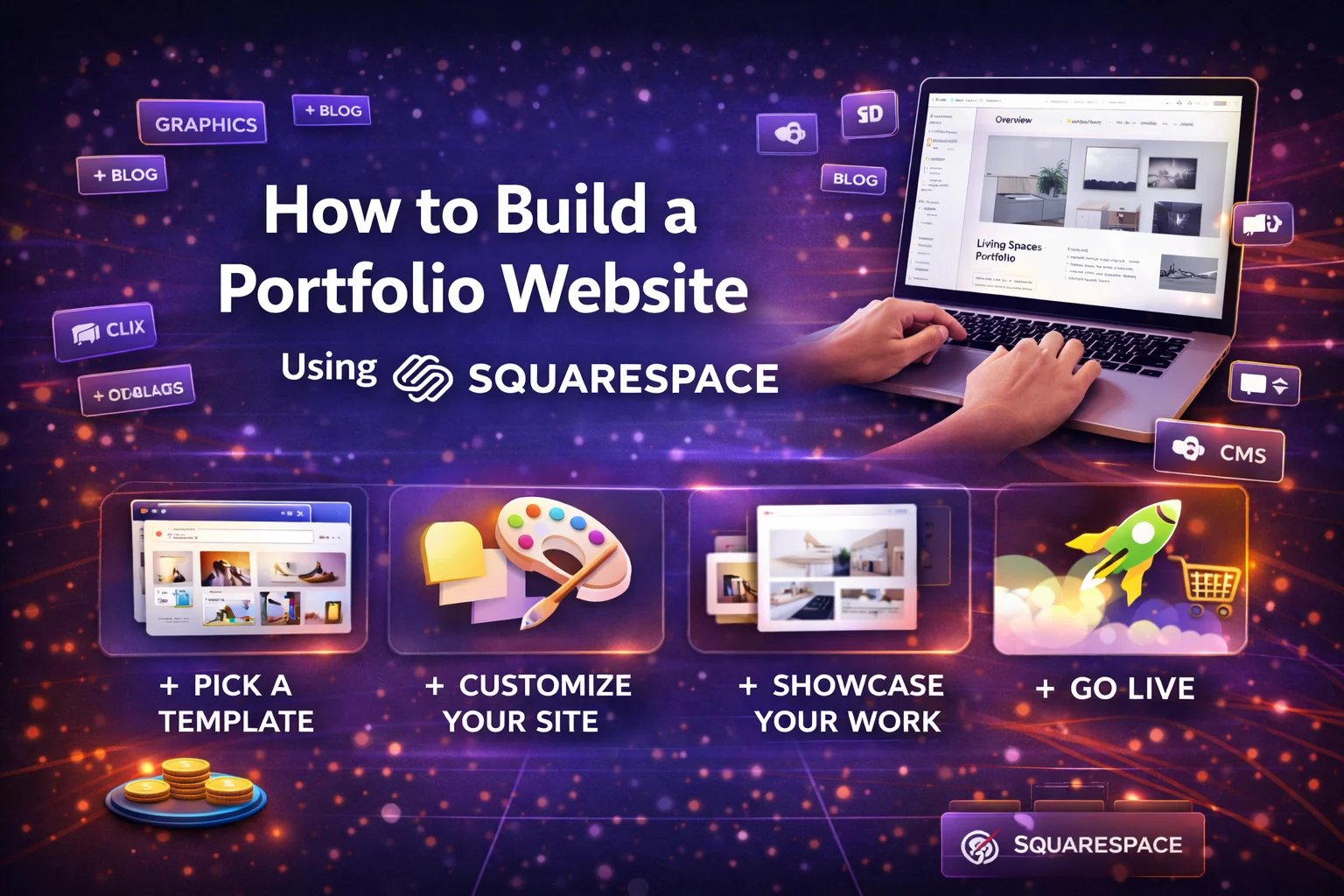
How to Build a Portfolio Website Using Squarespace in 2026 (Step-by-Step Guide)

Creating a portfolio website is one of the best ways to showcase your skills, projects, and professional achievements online. Designers, photographers, writers, developers, and freelancers rely on portfolio sites to attract clients and demonstrate their expertise.

Among modern website builders, Squarespace has become one of the most popular platforms for portfolio websites. It is widely used by creatives because of its elegant templates, visual design tools, and integrated website features that make it possible to launch a professional portfolio without coding.

In this step-by-step guide, you will learn how to build a professional portfolio website using Squarespace in 2026, including choosing a template, structuring your portfolio, optimizing for SEO, and promoting your work effectively.


Why Squarespace Is Popular for Portfolio Websites

Before starting the tutorial, it’s helpful to understand why Squarespace is commonly recommended for portfolio websites.

1. Designer-Quality Templates

Squarespace offers professionally designed templates that make it easy to create visually impressive websites.

These templates are particularly useful for:

  • photographers
  • designers
  • artists
  • writers
  • creative agencies

2. Visual Website Editor

Squarespace uses a modern page editor called Fluid Engine, which allows users to move and resize elements visually within a flexible grid layout.

This makes it possible to design a website layout without writing code.

3. Built-in Portfolio Tools

Squarespace includes features specifically designed for portfolios, allowing users to showcase projects, publish case studies, and present work in organized galleries.

4. Built-in SEO Features

Every Squarespace website includes SEO tools such as clean URLs, automatic sitemaps, and mobile-responsive templates that help improve search visibility.


Step 1: Plan Your Portfolio Website

Before building your site, take some time to plan the structure of your portfolio.

A well-organized portfolio helps visitors understand your work quickly and improves the user experience.

Decide What to Include

Typical portfolio websites include:

  • homepage
  • portfolio/projects page
  • about page
  • services page
  • contact page

Your portfolio should highlight your best work rather than every project you’ve completed.

Organize Your Projects

Many portfolio websites group projects into categories such as:

  • branding
  • photography
  • web design
  • illustration
  • case studies

This structure helps visitors navigate your work more easily.


Step 2: Create Your Squarespace Account

To start building your portfolio website:

  1. Visit the Squarespace website
  2. Click Get Started
  3. Create an account
  4. Start a free trial

Squarespace offers a 14-day trial that allows you to build and test your website before purchasing a plan.


Step 3: Choose a Portfolio Template

The next step is selecting a template.

Squarespace provides hundreds of templates designed for various industries and website types.

When choosing a portfolio template, consider:

  • layout style
  • typography
  • image display options
  • navigation design

Popular Portfolio Template Styles

Some templates focus on:

  • fullscreen image galleries
  • minimalist grid layouts
  • storytelling case studies

Minimalist designs often work best for portfolios because they allow your work to stand out.


Step 4: Customize Your Website Design

Once you select a template, you can customize the design using the Squarespace editor.

Adjust Colors and Fonts

Squarespace allows you to change:

  • color palette
  • typography
  • button styles
  • layout spacing

Choose colors and fonts that match your personal brand.

Add Images and Visual Content

Portfolio websites rely heavily on visuals, so use high-quality images and videos to showcase your work.

Professional visuals make a strong first impression and improve credibility.


Step 5: Add Your Portfolio Projects

This is the most important step in building your portfolio.

Squarespace allows you to create portfolio pages where each project is displayed as a gallery item or individual page.

What to Include in Each Project

A strong portfolio project usually includes:

  • project title
  • images or videos
  • description of the project
  • tools used
  • results or outcomes

Detailed case studies can help differentiate your work from other professionals.

For example, designers often explain the design process from concept to final solution to demonstrate problem-solving skills.


Step 6: Create Essential Pages

Besides your portfolio projects, your website should include several important pages.

Home Page

The homepage should introduce you and highlight your best work.

Include:

  • short introduction
  • featured projects
  • call-to-action

About Page

This page tells your story and builds trust with potential clients.

Include:

  • background information
  • skills and expertise
  • achievements or awards

Services Page

If you offer freelance services, explain what you do and how clients can work with you.

Contact Page

Include:

  • contact form
  • email address
  • social media links

Contact pages make it easy for potential clients to reach you.


Step 7: Optimize Your Portfolio for SEO

Search engine optimization helps your portfolio website appear in search results.

Squarespace includes built-in SEO tools that simplify this process.

Basic SEO Settings

You can optimize:

  • page titles
  • meta descriptions
  • image alt text
  • page URLs

Use Keywords Naturally

If you’re a designer, photographer, or developer, include keywords related to your services.

Example keywords:

  • freelance web designer portfolio
  • photography portfolio website
  • graphic design portfolio

These keywords help search engines understand your content.


Step 8: Connect a Custom Domain

Your domain name is your website’s address.

Professional portfolios often use domains such as:

  • yourname.com
  • yourbrand.com

A custom domain improves your professional credibility and makes it easier for people to remember your website.


Step 9: Optimize Your Portfolio for Mobile Devices

Most users browse websites on smartphones, so your portfolio must look great on mobile.

Squarespace automatically creates mobile-responsive layouts for all websites.

However, you should still review your mobile layout to ensure:

  • images display correctly
  • text remains readable
  • navigation is easy to use

Mobile optimization also improves SEO rankings.


Step 10: Publish Your Portfolio Website

After reviewing your design and content, you can publish your website.

Before publishing, check:

  • page links
  • image quality
  • contact forms
  • loading speed

Once your site is live, you can continue updating and improving it.


Tips for Creating a High-Quality Portfolio Website

To make your portfolio stand out, follow these best practices.

Showcase Your Best Work

Quality is more important than quantity. Select projects that represent your strongest skills.

Tell the Story Behind Your Work

Explain the process, challenges, and solutions for each project.

Keep the Design Simple

Minimalist layouts help highlight your projects.

Update Your Portfolio Regularly

Add new work as you complete new projects.

Regular updates keep your portfolio relevant.


Common Mistakes to Avoid

Even experienced professionals sometimes make mistakes when building portfolio websites.

Too Many Projects

Including too many projects can overwhelm visitors.

Poor Image Quality

Low-quality images make your work appear less professional.

Weak Navigation

Visitors should easily find your projects and contact information.

Lack of Personal Branding

Your portfolio should reflect your unique style and personality.


Final Thoughts

Building a portfolio website is one of the most effective ways to present your work and attract new opportunities. With its designer templates, intuitive editor, and integrated tools, Squarespace makes it easy for creatives to launch professional portfolio websites.

By following the steps outlined in this guide—planning your structure, choosing a template, adding projects, optimizing for SEO, and promoting your work—you can create a portfolio website that showcases your skills and helps grow your career in 2026.

Whether you’re a freelancer, designer, photographer, or developer, a well-designed portfolio website can become one of your most valuable professional assets.

FAQ’s

1. Is Squarespace good for portfolio websites?

Yes, Squarespace is one of the best platforms for portfolio websites because it offers designer-quality templates, built-in galleries, and customizable layouts that allow creatives to showcase their work professionally.


2. Can beginners build a portfolio website using Squarespace?

Yes, beginners can easily build a portfolio website using Squarespace because the platform provides drag-and-drop editing, pre-designed templates, and built-in tools that simplify website creation without coding.


3. How long does it take to create a portfolio website on Squarespace?

Most users can create a basic portfolio website within a few hours using Squarespace templates. A fully customized portfolio with multiple projects and pages may take one to three days to complete.


4. What should a portfolio website include?

A professional portfolio website should include a homepage, portfolio or project gallery, about page, services page, and contact page. It should also feature high-quality images and detailed project descriptions.


5. Do Squarespace portfolio websites rank well on Google?

Yes, Squarespace websites can rank well on Google when they follow SEO best practices such as optimized page titles, fast loading speed, mobile responsiveness, and high-quality content.

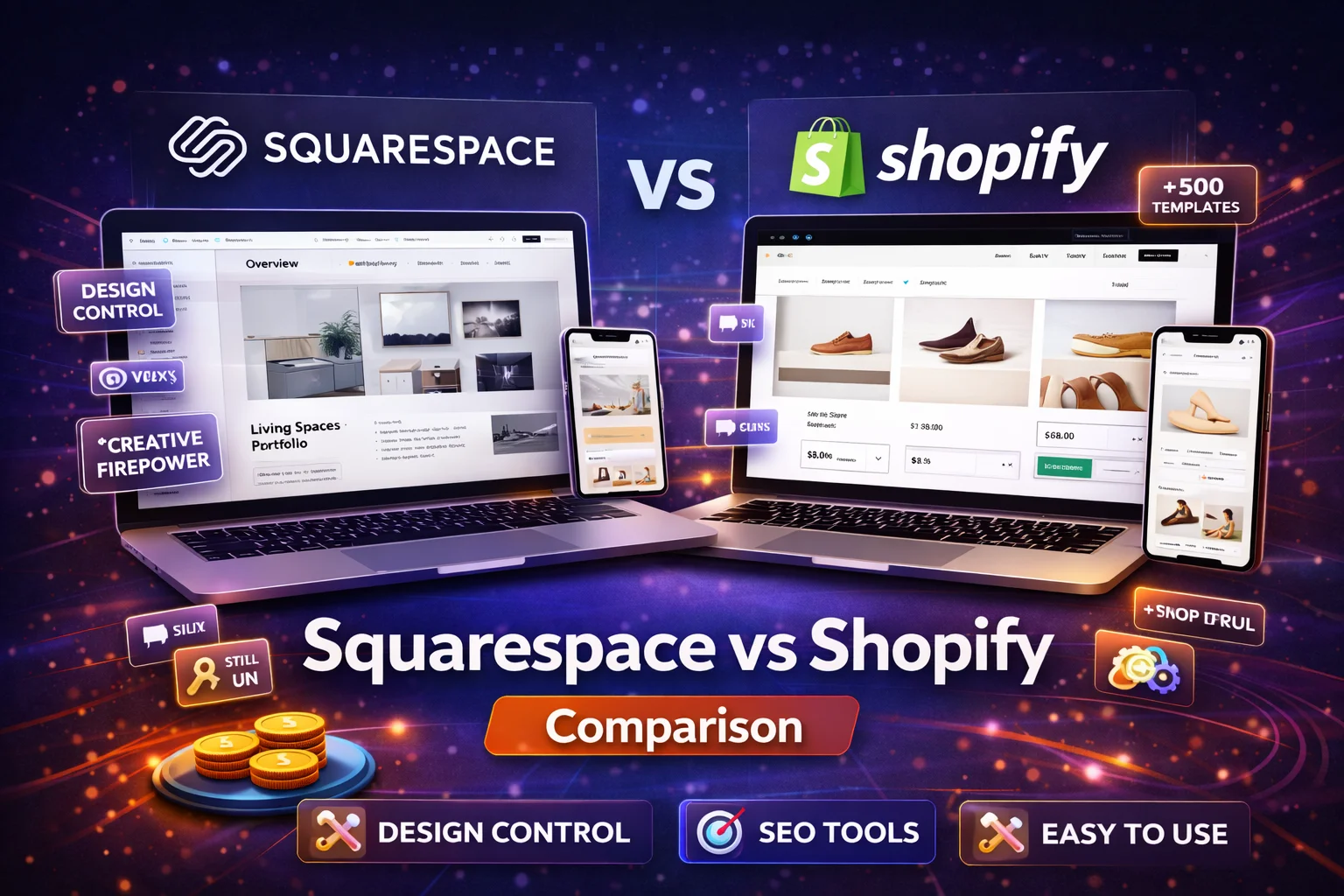
How to Build a Professional Website Using Wix (Step-by-Step Beginner Guide)

Creating a professional website used to require web developers, coding knowledge, and expensive design tools. Today, modern website builders make the process far more accessible. One of the most popular platforms for beginners and small businesses is Wix, a cloud-based website builder that allows anyone to create a full website without coding.

Wix combines hosting, design templates, SEO tools, and marketing features into one platform, making it easy to launch and manage a website from a single dashboard. The platform is widely used by freelancers, small businesses, bloggers, and entrepreneurs who want to establish an online presence quickly.

In this step-by-step guide, you’ll learn how to build a professional website using Wix, from choosing a template to optimizing your site for search engines in 2026.


Why Choose Wix to Build Your Website?

Before diving into the tutorial, it helps to understand why Wix has become one of the most widely used website builders.

1. Beginner-Friendly Design Tools

Wix offers a drag-and-drop editor that allows users to design pages visually without coding.

2. AI Website Builder

The platform includes AI tools that can generate a full website automatically based on a few questions about your business.

3. Large Template Library

Wix provides hundreds of designer-made templates for different industries, making it easy to start with a professional design.

4. Built-in SEO Tools

The platform includes built-in SEO features such as customizable meta tags, structured data, and automatic sitemaps.

5. All-in-One Platform

Wix includes hosting, security, and site management tools in a single platform, eliminating the need for separate services.


Step 1: Create Your Wix Account

The first step in building your website is creating a Wix account.

  1. Visit the Wix website
  2. Click Get Started
  3. Sign up using email or Google login

Once your account is created, Wix will guide you through a setup process to understand your website goals.

You’ll typically be asked questions about:

  • your website type (business, blog, portfolio, store)
  • your design preferences
  • the features you need

These answers help Wix generate initial design suggestions.


Step 2: Choose How You Want to Build Your Website

Wix offers two main ways to build your website.

Option 1: Wix AI Website Builder

The AI website builder asks a few questions about your site and automatically creates a layout based on your responses.

The process typically includes:

  1. Answering questions about your business
  2. Selecting design preferences
  3. Generating a complete website draft

This approach is the fastest way to launch a website.

Option 2: Choose a Template

If you prefer full control over your design, you can choose a template instead.

Wix provides templates for many industries including:

  • business websites
  • ecommerce stores
  • portfolios
  • blogs
  • restaurants

Templates can be fully customized once selected.


Step 3: Customize Your Website Design

After selecting a template or generating an AI site, the next step is customization.

The Wix editor allows you to modify:

  • text and headings
  • images and videos
  • color schemes
  • fonts and layouts

Because the editor uses drag-and-drop functionality, you can move elements around the page easily.

Important Design Tips

To create a professional website:

  • Use a consistent color palette
  • Keep fonts simple and readable
  • Avoid cluttered layouts
  • Use high-quality images

Design consistency helps build trust with visitors.


Step 4: Add Essential Website Pages

Every professional website should include several key pages.

Home Page

The home page introduces visitors to your brand and explains what you offer.

About Page

The about page builds credibility by explaining your story and expertise.

Services or Products Page

This page showcases what you sell or offer.

Contact Page

The contact page should include:

  • email address
  • contact form
  • phone number
  • location or map

Blog (Optional)

A blog allows you to publish helpful content that improves your SEO and attracts visitors.


Step 5: Add Features and Integrations

Wix includes an App Market where you can add additional functionality to your website.

Popular Wix apps include:

  • booking systems
  • live chat tools
  • email marketing tools
  • social media integrations
  • ecommerce features

These integrations allow you to expand your website’s functionality as your business grows.


Step 6: Optimize Your Website for SEO

Search engine optimization (SEO) helps your website appear in search results.

Wix provides several built-in SEO tools that make optimization easier.

These tools allow you to customize:

  • page titles
  • meta descriptions
  • URLs
  • alt text for images

The platform also generates a sitemap automatically and allows advanced SEO settings like robots.txt editing.

Basic SEO Best Practices

  • Use relevant keywords in titles and headings
  • Write clear meta descriptions
  • Optimize images for fast loading
  • ensure your website is mobile-friendly

SEO optimization helps your website attract organic traffic from search engines.


Step 7: Add a Custom Domain

By default, free Wix websites use a Wix subdomain such as:

username.wixsite.com/sitename

For a professional website, you should connect a custom domain.

Examples include:

  • yourbusiness.com
  • yourbrand.net

Custom domains improve branding and credibility.

Wix premium plans typically include a free domain for the first year.


Step 8: Set Up Mobile Optimization

Most internet users browse websites on mobile devices.

Wix automatically creates mobile versions of websites, but you should review the mobile layout manually.

In the Wix editor you can switch to mobile view and adjust elements specifically for mobile devices.

Ensure that:

  • text remains readable
  • buttons are easy to tap
  • images load quickly

Mobile optimization is also an important Google ranking factor.


Step 9: Test Your Website Before Publishing

Before launching your website, test it thoroughly.

Check:

  • page loading speed
  • navigation links
  • contact forms
  • mobile display
  • image quality

Testing ensures visitors have a smooth experience when they first visit your website.


Step 10: Publish Your Website

Once everything looks good, you can publish your site.

Simply click Publish in the Wix editor.

Your website will then be live and accessible to visitors around the world.

After publishing, you can continue updating your website anytime.


How to Maintain and Grow Your Wix Website

Launching a website is only the first step. Ongoing maintenance and updates are essential for long-term success.

Regular Content Updates

Publishing blog posts and updating pages improves SEO and keeps visitors engaged.

Website Analytics

Wix includes built-in analytics tools that help track:

  • website traffic
  • visitor behavior
  • conversion rates

Marketing Tools

Wix also provides marketing tools such as:

  • email campaigns
  • social media integrations
  • SEO reports

These tools help grow your website audience over time.


Common Mistakes Beginners Should Avoid

Many beginners make simple mistakes when building their first website.

Overloading Pages With Too Much Content

Simple and clean layouts work best.

Ignoring SEO

Without SEO optimization, your website may struggle to attract visitors.

Using Low-Quality Images

High-quality visuals improve the professional appearance of your website.

Skipping Mobile Optimization

Always test how your website looks on smartphones.

Avoiding these mistakes can significantly improve your website’s success.


Final Thoughts

Building a professional website no longer requires coding skills or expensive development teams. Platforms like Wix have simplified the process by combining website design, hosting, and marketing tools in one platform.

By following the steps in this guide—creating an account, choosing a template, customizing your design, adding content, and optimizing for SEO—you can launch a professional website quickly and efficiently.

For beginners, Wix offers one of the easiest ways to create a modern website that looks professional and performs well online.

With consistent updates and proper SEO strategies, your Wix website can become a powerful platform for growing your brand, business, or personal project.

FAQ’s

1. Is Wix good for building a professional website?

Yes, Wix is one of the best website builders for beginners because it offers drag-and-drop design tools, ready-made templates, built-in hosting, and SEO features that help users create professional websites without coding.


2. How long does it take to build a website with Wix?

Most beginners can build a basic Wix website in a few hours. More advanced websites with custom pages, content, and SEO optimization may take a few days to complete.


3. Can I build a website on Wix for free?

Yes, Wix offers a free plan that allows users to build a website using a Wix subdomain. However, upgrading to a premium plan allows you to connect a custom domain and remove Wix branding.


4. Is Wix better than WordPress for beginners?

Wix is often easier for beginners because it includes hosting, templates, and design tools in one platform. WordPress offers more customization but requires more technical setup.


5. Do Wix websites rank well on Google?

Yes, Wix websites can rank well on Google if they follow SEO best practices such as keyword optimization, fast loading speed, mobile responsiveness, and quality content.

Squarespace vs Shopify: Which Platform Is Better for Online Stores in 2026?

Building an online store has never been easier. Modern ecommerce platforms allow entrepreneurs to launch, manage, and scale their businesses without advanced technical knowledge. Among the most popular platforms today are Squarespace and Shopify.

Both platforms power millions of websites worldwide and offer tools for product management, payments, marketing, and website design. However, they are designed with different priorities. Shopify focuses heavily on advanced ecommerce functionality, while Squarespace prioritizes design and ease of use.

This in-depth guide compares Squarespace and Shopify across the most important factors for online sellers: features, pricing, ease of use, customization, SEO, and scalability. By the end, you’ll know which platform is the better choice for your online store in 2026.


Squarespace vs Shopify: Quick Overview

FeatureSquarespaceShopify
Primary focusWebsite design + small ecommerceFull ecommerce platform
Ease of useVery beginner-friendlySlight learning curve
Design qualityExcellent templatesProfessional but structured
Ecommerce toolsGood for small storesAdvanced selling features
App ecosystemLimited integrationsHuge app marketplace
Best forCreators and small storesScalable online businesses

While both platforms allow you to sell online, Shopify was built specifically for ecommerce, whereas Squarespace started as a website builder with ecommerce features added later.


What Is Squarespace?

Squarespace is a website builder that combines design tools, hosting, and ecommerce functionality in one platform. It is particularly popular among creative professionals, bloggers, and small businesses.

The platform offers visually polished templates and an intuitive page editor that allows users to create websites without coding knowledge. Many users choose Squarespace because it makes it easy to build a professional-looking store quickly.

Key Squarespace Features

  • Beautiful designer templates
  • Built-in ecommerce tools
  • Integrated blogging platform
  • Marketing and email tools
  • Analytics dashboard

Squarespace is ideal for businesses that sell a smaller number of products or services alongside content.


What Is Shopify?

Shopify is a dedicated ecommerce platform designed specifically for online selling. It powers millions of online stores worldwide and offers advanced tools for product management, payments, shipping, and marketing.

Unlike general website builders, Shopify focuses heavily on ecommerce functionality, making it one of the most powerful platforms for running an online store.

Key Shopify Features

  • Advanced inventory management
  • Multichannel selling (Amazon, social media, marketplaces)
  • Dropshipping integrations
  • Extensive app marketplace
  • Advanced reporting and analytics

Shopify is often recommended for businesses planning to scale and sell products at higher volumes.


Ease of Use

Ease of use is one of the most important factors when choosing an ecommerce platform.

Squarespace Ease of Use

Squarespace offers a clean, structured website editor that allows users to build pages with pre-designed content blocks. This layout system keeps websites visually consistent and professional.

Many beginners find Squarespace easier because it simplifies design decisions and guides users through the website creation process.

Shopify Ease of Use

Shopify also offers an intuitive dashboard, but it focuses more on ecommerce management rather than design.

Users must configure elements such as:

  • product inventory
  • shipping rules
  • tax settings
  • payment gateways

While these features are powerful, they may feel more complex for beginners.

Ease of Use Verdict

  • Squarespace: easier for beginners building simple stores
  • Shopify: slightly more complex but optimized for selling

Design and Templates

Design plays a major role in how customers perceive your online store.

Squarespace Design

Squarespace is widely known for its high-quality templates and modern design aesthetics.

These templates are particularly popular among:

  • photographers
  • designers
  • content creators
  • small brands

Because the templates are visually polished, even beginners can launch a professional-looking website quickly.

Shopify Design

Shopify also offers professional templates, but they focus more on ecommerce functionality than visual creativity.

Some Shopify themes are free, while premium themes can cost several hundred dollars.

Design Verdict

  • Squarespace: better design and aesthetics
  • Shopify: more functional ecommerce layouts

Ecommerce Features

When comparing ecommerce capabilities, Shopify clearly stands out.

Squarespace Ecommerce Features

Squarespace offers core ecommerce tools including:

  • product catalog management
  • digital product sales
  • subscriptions
  • integrated checkout

For small stores selling limited products, these features are often sufficient.

However, advanced ecommerce capabilities are limited.

Shopify Ecommerce Features

Shopify was built specifically for ecommerce and includes features such as:

  • advanced inventory management
  • automatic tax calculation
  • multichannel selling
  • abandoned cart recovery
  • dropshipping integrations

Because of these advanced tools, Shopify is considered a stronger ecommerce platform overall.

Ecommerce Verdict

  • Squarespace: good for simple online stores
  • Shopify: best for serious ecommerce businesses

App Marketplace and Integrations

Integrations allow online stores to add features such as marketing tools, automation, and analytics.

Squarespace Integrations

Squarespace offers a limited set of integrations compared to Shopify. Most core features are built directly into the platform.

This simplicity helps beginners but may limit advanced customization.

Shopify App Store

Shopify offers one of the largest ecommerce app marketplaces, with thousands of integrations for:

  • marketing automation
  • dropshipping
  • inventory management
  • customer loyalty programs

These integrations allow businesses to extend their store functionality significantly.

Integrations Verdict

Shopify wins easily due to its extensive app ecosystem.


Pricing Comparison

Pricing is another major factor when choosing an ecommerce platform.

Squarespace Pricing

Squarespace plans start around $16 per month, but ecommerce features are available only on higher-tier plans.

One advantage is that most features are built into the platform, making pricing more predictable.

Shopify Pricing

Shopify ecommerce plans typically start around $29 per month, but costs may increase with additional apps or premium themes.

Pricing Verdict

  • Squarespace: cheaper for small stores
  • Shopify: more expensive but more powerful

SEO Capabilities

SEO plays a critical role in driving organic traffic to online stores.

Squarespace SEO

Squarespace includes built-in SEO tools such as:

  • customizable page titles and meta descriptions
  • clean URL structures
  • mobile optimization

Because of its design structure, many Squarespace sites perform well in search engines.

Shopify SEO

Shopify also offers strong SEO features, including:

  • structured data for product pages
  • automatic sitemaps
  • SEO apps for advanced optimization

Both platforms support SEO best practices, but Shopify’s larger ecosystem allows more advanced optimization.

SEO Verdict

Both platforms perform well for SEO, but Shopify offers more flexibility through apps.


Scalability and Business Growth

Scalability determines how well a platform can support business growth.

Squarespace Scalability

Squarespace works well for:

  • small online stores
  • personal brands
  • creators selling digital products

However, as a business grows and product catalogs expand, limitations may appear.

Shopify Scalability

Shopify was built for scalable ecommerce and can support:

  • thousands of products
  • international selling
  • high traffic volumes

Because of these capabilities, Shopify is often preferred by growing ecommerce businesses.

Scalability Verdict

Shopify is significantly more scalable than Squarespace.


Pros and Cons

Squarespace Pros

  • Beautiful design templates
  • Beginner-friendly interface
  • Lower starting cost
  • Built-in marketing tools

Squarespace Cons

  • Limited ecommerce functionality
  • Smaller integration ecosystem
  • Less scalable for large stores

Shopify Pros

  • Advanced ecommerce features
  • Huge app marketplace
  • Multichannel selling
  • Highly scalable

Shopify Cons

  • Higher costs
  • Requires more setup
  • Design flexibility slightly limited

Which Platform Should You Choose?

Choosing between Squarespace and Shopify depends on your business goals.

Choose Squarespace if:

  • You want a design-focused website with ecommerce
  • You sell a small number of products
  • You prioritize simplicity and affordability

Choose Shopify if:

  • Your main focus is ecommerce
  • You plan to scale your online store
  • You need advanced selling tools and integrations

Final Verdict

Both Squarespace and Shopify are excellent platforms for building online stores, but they serve different audiences.

Squarespace is ideal for design-focused websites and smaller ecommerce businesses, while Shopify is built specifically for serious online retail and scalable ecommerce operations.

If your goal is to launch a simple store with a beautiful design, Squarespace may be the perfect solution. But if you want a powerful ecommerce platform capable of handling growth, automation, and advanced selling tools, Shopify is the stronger choice.

FAQ’s

1. Is Shopify better than Squarespace for online stores?

Shopify is generally better for online stores because it was built specifically for ecommerce. It offers advanced inventory management, multichannel selling, and a large app marketplace that helps businesses scale their online stores.


2. Can you build an online store with Squarespace?

Yes, Squarespace allows users to create online stores with features such as product listings, payment processing, subscriptions, and digital product sales. However, it is best suited for small or medium-sized stores rather than large ecommerce businesses.


3. Which platform is easier to use: Shopify or Squarespace?

Squarespace is typically easier for beginners because of its visual editor and structured design system. Shopify has a slightly steeper learning curve because it focuses heavily on ecommerce management tools.


4. Is Squarespace cheaper than Shopify?

Squarespace plans generally start at a lower monthly price than Shopify. However, Shopify offers more advanced ecommerce features, which may justify the higher cost for businesses focused on selling products online.


5. Which platform is better for SEO: Shopify or Squarespace?

Both Shopify and Squarespace offer solid SEO tools such as customizable meta tags, mobile-optimized templates, and automatic sitemaps. Shopify offers more SEO customization through apps, while Squarespace provides strong built-in SEO features.

Wix vs WordPress: Is Wix Better Than WordPress for Building a Website in 2026?

Choosing the right platform is one of the most important decisions when building a website. Two of the most popular options today are Wix and WordPress. Both allow users to create websites without extensive coding knowledge, but they are designed for different types of users and goals.

Wix focuses on simplicity and an all-in-one website builder experience, while WordPress offers unmatched customization and flexibility through its open-source ecosystem. Understanding the differences between these platforms can help you decide which one is better for your website in 2026.

In this detailed guide, we’ll compare Wix and WordPress based on ease of use, design flexibility, SEO capabilities, pricing, scalability, and overall performance to determine whether Wix is truly better than WordPress for building a website.


What Is Wix?

Wix is a cloud-based website builder that allows users to create websites using a drag-and-drop editor. The platform includes hosting, security, templates, and marketing tools in a single package.

One of Wix’s biggest advantages is its simplicity. Users can create a professional website quickly without worrying about hosting or technical setup because everything is built into the platform.

Key Wix features include:

  • Drag-and-drop website editor
  • AI website creation tools
  • Built-in hosting and security
  • App marketplace for integrations
  • Ecommerce functionality

Because of its intuitive interface, Wix is widely considered one of the easiest website builders for beginners.


What Is WordPress?

WordPress is an open-source content management system (CMS) that powers more than 40% of websites worldwide.

Unlike Wix, WordPress does not include hosting or design tools by default. Instead, users install WordPress on a web hosting server and customize their site using themes and plugins.

The platform offers thousands of plugins and themes that allow users to create nearly any type of website.

Key WordPress features include:

  • Open-source platform
  • Thousands of themes
  • 50,000+ plugins
  • Full control over website code
  • Extensive customization options

Because of this flexibility, WordPress is often used by bloggers, businesses, ecommerce stores, and developers who need advanced functionality.


Wix vs WordPress: Quick Comparison

FeatureWixWordPress
Ease of useVery beginner-friendlyModerate learning curve
HostingIncludedRequires separate hosting
CustomizationLimited compared to WordPressUnlimited customization
Plugins/appsHundreds of apps50,000+ plugins
SEO controlGood built-in toolsAdvanced control
Best forBeginnersScalable websites

Both platforms can build excellent websites, but they serve different user needs.


Ease of Use: Which Platform Is Easier?

Ease of use is one of the biggest differences between Wix and WordPress.

Wix

Wix is designed specifically for beginners. Its drag-and-drop editor allows users to visually design pages by placing elements anywhere on the screen.

The platform also includes AI tools that can generate a website automatically after answering a few questions.

Because hosting and maintenance are included, Wix eliminates the need for technical setup.

WordPress

WordPress has a steeper learning curve because users must:

  • purchase hosting
  • install WordPress
  • choose themes and plugins
  • manage updates and security

However, page builders such as Elementor make WordPress easier to use by adding drag-and-drop design capabilities.

Ease of Use Verdict

For beginners, Wix is easier to use because everything is integrated and requires minimal technical knowledge.


Design and Customization

Customization is where WordPress has a significant advantage.

Wix Design Options

Wix provides over 800 templates for different industries. These templates are customizable, but once you choose a template, switching to another one later is difficult.

The platform also includes an app marketplace with hundreds of integrations.

WordPress Design Options

WordPress offers thousands of themes and plugins that allow users to customize every aspect of their website.

Developers can also modify code directly using HTML, CSS, and JavaScript.

Because of this flexibility, WordPress provides far more design control than Wix.

Design Verdict

WordPress wins for customization because it allows virtually unlimited design possibilities.


SEO Capabilities

Search engine optimization (SEO) is crucial for website visibility.

Wix SEO Tools

Wix has significantly improved its SEO capabilities in recent years. It now includes features such as:

  • meta tag editing
  • SEO setup guides
  • automatic sitemaps
  • mobile-optimized templates

These tools make SEO easier for beginners.

WordPress SEO Tools

WordPress offers deeper SEO control because users can install powerful plugins such as:

  • Yoast SEO
  • Rank Math
  • All in One SEO

WordPress also allows full control over URL structure, schema markup, and technical SEO settings.

SEO Verdict

While Wix offers solid SEO tools, WordPress provides more advanced SEO flexibility.


Pricing Comparison

Pricing is another important factor when choosing a website platform.

Wix Pricing

Wix uses a subscription model that includes hosting and support.

Plans typically range from:

  • Free plan with Wix branding
  • $16–$159 per month depending on features

WordPress Pricing

WordPress software itself is free, but users must pay for:

  • hosting
  • domain name
  • premium themes or plugins

Hosting can cost just a few dollars per month, making WordPress potentially cheaper than Wix.

Pricing Verdict

WordPress can be more affordable in the long run, especially for larger websites.


Scalability and Growth

If you plan to expand your website in the future, scalability becomes important.

Wix Scalability

Wix works well for small websites, portfolios, and small businesses. However, larger websites may encounter limitations in customization and performance.

WordPress Scalability

WordPress is highly scalable because it allows users to add custom functionality through plugins and code.

This makes it ideal for:

  • large blogs
  • membership websites
  • ecommerce platforms
  • enterprise websites

WordPress is often recommended for businesses planning long-term growth.

Scalability Verdict

WordPress is the better platform for large and complex websites.


Pros and Cons

Wix Pros

  • Extremely beginner-friendly
  • Drag-and-drop website builder
  • All-in-one platform with hosting included
  • Fast setup process

Wix Cons

  • Limited customization compared to WordPress
  • Harder to migrate away from the platform
  • Monthly subscription costs

WordPress Pros

  • Unlimited customization
  • Large plugin ecosystem
  • Advanced SEO capabilities
  • Better scalability for growing websites

WordPress Cons

  • Requires hosting setup
  • Steeper learning curve
  • Maintenance and updates required

Which Platform Should You Choose?

Choosing between Wix and WordPress depends on your goals.

Choose Wix if:

  • You want to build a website quickly
  • You prefer an easy drag-and-drop editor
  • You do not want to manage hosting or technical setup

Choose WordPress if:

  • You want full control over your website
  • You plan to scale your website in the future
  • You need advanced features and customization

Final Verdict: Is Wix Better Than WordPress?

The answer depends on your experience and website goals.

Wix is better for beginners who want a simple and quick way to build a website without dealing with technical setup. WordPress, on the other hand, provides significantly more customization, scalability, and control.

For small personal websites or portfolios, Wix may be the easiest solution. But for businesses, blogs, and large projects that require long-term growth, WordPress is often the better platform.

Ultimately, the best website builder is the one that aligns with your technical skills, business goals, and future growth plans.

FAQ’s

1. Is Wix better than WordPress for beginners?

Wix is often easier for beginners because it offers a drag-and-drop editor and built-in hosting. WordPress requires more setup but provides greater flexibility and customization.


2. Which platform is better for SEO: Wix or WordPress?

WordPress is generally better for SEO because it offers advanced plugins, greater technical control, and more customization options. Wix has improved its SEO tools but still has fewer advanced features.


3. Is Wix cheaper than WordPress?

Wix offers subscription plans that include hosting and support, while WordPress itself is free but requires hosting and premium plugins. Depending on hosting costs, WordPress can sometimes be cheaper in the long run.


4. Can I migrate from Wix to WordPress?

Yes, it is possible to migrate a website from Wix to WordPress, but the process can require rebuilding parts of the site because the platforms use different systems.


5. Which platform is better for small business websites?

Both Wix and WordPress can work well for small business websites. Wix is easier to manage for beginners, while WordPress is better for businesses that want advanced customization and long-term scalability.

Wix vs Squarespace Comparison: Which Platform Should Beginners Choose?

Building a professional website used to require coding knowledge and expensive development services. Today, modern website builders allow anyone to create a fully functional site without writing a single line of code. Among the most popular platforms, Wix and Squarespace consistently rank among the top website builders for beginners.

Both platforms offer drag-and-drop editing, ready-made templates, built-in hosting, and integrated SEO tools. However, their design philosophy, customization options, and pricing structures differ in important ways.

This guide compares Wix and Squarespace in depth based on ease of use, features, design, SEO capabilities, pricing, and overall beginner experience. By the end, you’ll know which platform is better for starting a website in 2026.


What Are Wix and Squarespace?

Before comparing them, it’s important to understand what these platforms are.

Both Wix and Squarespace are software-as-a-service (SaaS) website builders, meaning they provide everything required to build and manage a website in one platform—hosting, templates, security, and editing tools.

They are designed specifically for users who want to create websites without coding knowledge.

Wix Overview

Wix was launched in 2006 and has grown into one of the most widely used website builders. The platform provides a drag-and-drop editor, AI design tools, and more than 900 templates.

It is particularly known for its flexibility and large app marketplace, allowing users to extend website functionality with integrations.

Squarespace Overview

Squarespace, founded in 2003, focuses on high-quality design and simplicity. Its templates are known for their clean layouts and professional aesthetic.

The platform also integrates ecommerce tools, blogging features, analytics, and marketing tools within a single dashboard.


Quick Comparison: Wix vs Squarespace

FeatureWixSquarespace
Ease of useVery beginner-friendlyStructured and simple
Templates900+ templates180+ professional templates
Design flexibilityHighly customizableStructured layouts
App integrations500+ appsLimited extensions
Free planYesNo (14-day trial)
EcommerceStrongStrong
Best forBeginners & flexibilityDesign-focused websites

Both builders are beginner-friendly, but their strengths differ depending on the type of website you want to build.


Ease of Use: Which Is Better for Beginners?

Ease of use is often the most important factor when choosing a website builder.

Wix: Drag-and-Drop Freedom

Wix offers one of the most flexible editors available. Users can place elements anywhere on the page using its drag-and-drop interface.

Key beginner features include:

  • AI website builder (Wix ADI)
  • visual drag-and-drop editing
  • pre-designed layouts
  • guided onboarding

The platform also includes an AI tool that can generate a website automatically based on a few questions about your business.

This makes Wix especially beginner-friendly for users who want to launch a website quickly.

Squarespace: Structured Editing

Squarespace uses a grid-based editor called Fluid Engine, which keeps page layouts aligned and visually balanced.

Instead of placing elements freely, users add sections and blocks that automatically adjust to maintain design consistency.

Many beginners find this approach easier because it prevents design mistakes.

Ease of Use Verdict

  • Wix provides more freedom and customization
  • Squarespace provides more structured and polished layouts

For beginners who want simplicity and quick results, both are excellent options. However, Wix’s drag-and-drop flexibility gives it a slight advantage.


Templates and Design Quality

Design plays a major role in how visitors perceive your website.

Wix Templates

Wix offers over 900 templates covering industries such as:

  • restaurants
  • portfolios
  • online stores
  • blogs
  • service businesses

These templates can be customized extensively, allowing users to modify layouts, colors, and elements.

Squarespace Templates

Squarespace provides fewer templates—around 180—but they are widely praised for their professional quality and aesthetics.

Many designers prefer Squarespace because its templates are visually polished and optimized for branding.

In fact, Squarespace is often considered one of the best platforms for creative professionals such as photographers and designers.

Design Verdict

  • Wix: more templates and flexibility
  • Squarespace: better design quality

If design aesthetics are your top priority, Squarespace may be the better choice.


Features and Customization

Both platforms provide extensive features for building websites, but Wix offers more customization options.

Wix Features

Wix includes:

  • large app marketplace (500+ apps)
  • AI design tools
  • booking systems
  • membership features
  • live chat and marketing tools

These integrations allow Wix users to extend their websites with additional functionality.

Squarespace Features

Squarespace focuses on built-in tools instead of third-party integrations.

Key features include:

  • ecommerce tools
  • blogging platform
  • email marketing
  • analytics dashboard
  • social media integration

Squarespace’s built-in approach keeps the platform streamlined but limits customization.

Features Verdict

  • Wix: stronger customization and integrations
  • Squarespace: simpler all-in-one platform

SEO Tools Comparison

Search engine optimization is essential for website visibility.

Both platforms include built-in SEO tools that allow users to optimize:

  • page titles
  • meta descriptions
  • URLs
  • image alt text

Wix SEO Features

Wix provides several beginner-friendly SEO tools including:

  • SEO setup checklist
  • automated sitemap creation
  • structured SEO guidance

The platform also offers SEO apps that expand optimization capabilities.

Squarespace SEO Features

Squarespace includes built-in SEO features such as:

  • automatic sitemaps
  • clean URLs
  • mobile-responsive templates
  • integrated analytics

Because its templates are well-structured, Squarespace websites often load quickly and perform well technically.

SEO Verdict

Both platforms provide solid SEO tools, but Wix offers more advanced customization and integrations.


Ecommerce Capabilities

Many beginners use website builders to create online stores.

Wix Ecommerce

Wix supports ecommerce features such as:

  • product listings
  • digital products
  • subscription sales
  • multiple payment gateways

It also supports more than 80 payment providers, making it highly flexible for online stores.

Squarespace Ecommerce

Squarespace also includes built-in ecommerce tools such as:

  • inventory management
  • product variants
  • subscription products
  • integrated checkout

Some plans also charge transaction fees depending on the pricing tier.

Ecommerce Verdict

Wix generally offers more flexibility for ecommerce, especially for beginners launching small online stores.


Pricing Comparison

Pricing is another important factor for beginners.

Wix Pricing

Wix offers a free plan, which allows users to create websites with Wix branding.

Paid plans typically start around $17 per month when billed annually.

Squarespace Pricing

Squarespace does not offer a free plan but provides a 14-day free trial.

Paid plans start around $16 per month with annual billing.

Pricing Verdict

  • Wix: free plan available
  • Squarespace: slightly cheaper entry pricing

For beginners testing website creation, Wix’s free plan can be a major advantage.


Pros and Cons

Wix Pros

  • Extremely flexible drag-and-drop editor
  • 900+ templates
  • Large app marketplace
  • Free plan available
  • strong ecommerce capabilities

Wix Cons

  • Too many customization options may overwhelm beginners
  • Some templates cannot be switched easily

Squarespace Pros

  • Beautiful professional templates
  • Clean and simple interface
  • strong blogging tools
  • built-in marketing features

Squarespace Cons

  • Limited integrations
  • No free plan
  • less customization flexibility

Which Platform Is Better for Beginners?

Choosing between Wix and Squarespace depends on your goals.

Choose Wix if:

  • You want maximum customization
  • You prefer drag-and-drop editing
  • You need many integrations and apps
  • You want a free website builder

Choose Squarespace if:

  • Design quality is your top priority
  • You want a simple and structured editor
  • You are building a portfolio or creative website

For most beginners, Wix is often considered the better overall choice due to its flexibility and wide range of features.

However, Squarespace remains an excellent option for users focused on professional design and branding.


Final Verdict

Both Wix and Squarespace are excellent website builders for beginners in 2026. They offer user-friendly interfaces, powerful design tools, and integrated SEO features that make building a website easier than ever.

Wix stands out for its flexibility, large template library, and extensive app marketplace. Squarespace excels in design quality, simplicity, and professional presentation.

If your priority is ease of use and customization, Wix is likely the better choice. But if you want a visually polished website with minimal design effort, Squarespace may be the perfect platform.

Ultimately, the best website builder depends on your goals, design preferences, and how much control you want over your website.

FAQ’s

1. Is Wix better than Squarespace for beginners?

Wix is often considered better for beginners because of its drag-and-drop editor, flexible design options, and beginner-friendly onboarding. Squarespace, however, offers more structured layouts and professional design templates.


2. Which website builder is easier to use: Wix or Squarespace?

Both platforms are beginner-friendly, but Wix offers more design flexibility with its drag-and-drop editor, while Squarespace uses a structured grid system that helps maintain clean layouts.


3. Is Wix cheaper than Squarespace?

Wix offers a free plan, which makes it cheaper for beginners who want to test the platform. Squarespace does not offer a free plan but provides a 14-day free trial.


4. Which platform is better for SEO: Wix or Squarespace?

Both Wix and Squarespace offer strong SEO features such as customizable meta tags, clean URLs, and mobile-responsive designs. Wix provides more SEO apps and customization options, while Squarespace offers built-in SEO tools.


5. Should I choose Wix or Squarespace for a small business website?

For small business websites, Wix is often preferred due to its flexibility, large app marketplace, and strong ecommerce capabilities. Squarespace is ideal for businesses that prioritize design and branding.


Best Website Builders for Small Businesses in 2026: Wix vs Squarespace vs WordPress

Creating a professional website is no longer optional for small businesses—it’s essential. In 2026, customers expect every business to have a fast, mobile-friendly, and trustworthy online presence. Whether you run a local service, an online store, or a consulting business, the right website builder can significantly impact your visibility and growth.

Among dozens of available platforms, three tools consistently dominate the market: Wix, Squarespace, and WordPress. Each offers unique strengths, from beginner-friendly design tools to advanced customization and SEO capabilities.

This guide compares these three platforms based on ease of use, features, pricing, SEO performance, scalability, and business use cases to help you choose the best website builder for your small business in 2026.


Why Choosing the Right Website Builder Matters

Your website builder affects far more than just design. It influences:

  • Website speed and user experience
  • Search engine visibility
  • Online store functionality
  • Marketing integrations
  • Long-term scalability

Modern website builders include built-in tools such as hosting, SEO optimization, analytics, and ecommerce capabilities, making them ideal for businesses without a full development team.

However, each platform has different strengths depending on your goals.


Quick Comparison: Wix vs Squarespace vs WordPress

FeatureWixSquarespaceWordPress
Ease of UseVery beginner-friendlyEasy but structuredModerate learning curve
CustomizationHigh flexibilityModerateUnlimited
SEO PotentialGoodGoodExcellent
Templates900+ designsHigh-quality designer templatesThousands of themes
EcommerceBuilt-in toolsStrong ecommercePlugin-based
PricingFree + paid plansPaid plans onlyFree software + hosting
ScalabilityMediumMediumVery high

In simple terms:

  • Wix: Best for beginners
  • Squarespace: Best for design-focused websites
  • WordPress: Best for scalability and SEO

Wix: Best Website Builder for Beginners

Wix is one of the most popular all-in-one website builders for small businesses. It offers a drag-and-drop editor, AI website creation tools, and built-in hosting, allowing users to launch a website in just a few hours.

Industry testing in 2026 frequently ranks Wix as the best overall website builder due to its balance of usability, customization, and business features.

Key Features

  • Drag-and-drop visual editor
  • AI website builder (Wix ADI)
  • Built-in hosting and security
  • App marketplace with hundreds of integrations
  • Ecommerce tools and payment gateways

The platform allows users to design pages freely with fewer layout restrictions compared to many other builders.

Pricing

Wix offers a free plan with Wix branding, while paid plans typically start around $17/month for business websites.

Pros

  • Extremely easy to use
  • Hundreds of templates
  • AI design assistance
  • Built-in marketing tools

Cons

  • Limited flexibility compared to WordPress
  • Switching templates later can be difficult
  • Large websites may become harder to manage

Best For

  • Local businesses
  • Freelancers
  • Service-based companies
  • Beginners with no technical experience

Squarespace: Best for Beautiful Website Design

Squarespace is known for its high-quality templates and professional design system. Many creative professionals, agencies, and small brands prefer Squarespace because it produces visually polished websites with minimal effort.

The platform uses the Fluid Engine editor, which provides grid-based customization and pixel-level control while maintaining clean design structure.

Key Features

  • Award-winning templates
  • Built-in blogging system
  • Integrated ecommerce tools
  • Marketing and analytics tools
  • Unlimited bandwidth on paid plans

Squarespace includes many features directly within the platform, reducing the need for third-party plugins.

Pricing

Squarespace plans typically range from $16 to $99 per month, depending on features and ecommerce capabilities.

Pros

  • Professional, designer-quality templates
  • Built-in ecommerce tools
  • Strong blogging capabilities
  • All-in-one platform (hosting, security, analytics)

Cons

  • Less customization compared to WordPress
  • No free plan
  • Fewer integrations than Wix

Best For

  • Creative businesses
  • Photographers and designers
  • Personal brands
  • Small ecommerce stores

WordPress: Best for SEO and Scalability

WordPress powers over 40% of websites worldwide, making it the most widely used content management system.

Unlike Wix and Squarespace, WordPress is an open-source platform, meaning you have complete control over your website’s design, functionality, and hosting.

Key Features

  • 50,000+ plugins
  • Thousands of themes
  • Full code customization
  • Advanced SEO capabilities
  • Scalable for large websites

WordPress stands out because it offers unmatched flexibility and customization, making it ideal for businesses planning long-term growth.

Pricing

WordPress software itself is free, but you need to pay for:

  • Hosting
  • Domain name
  • Premium themes or plugins

This usually costs $5 to $30 per month depending on your hosting provider.

Pros

  • Unlimited customization
  • Best SEO potential
  • Massive plugin ecosystem
  • Ideal for scaling businesses

Cons

  • Requires technical setup
  • Maintenance and updates needed
  • Slight learning curve

Best For

  • Businesses planning to scale
  • SEO-focused websites
  • Blogs and content marketing
  • Custom web projects

SEO Comparison: Which Platform Ranks Best?

Search engine optimization (SEO) is critical for small businesses trying to attract organic traffic.

WordPress

WordPress provides the strongest SEO capabilities because of plugins like Yoast SEO, Rank Math, and advanced technical control.

Wix

Wix has significantly improved its SEO tools in recent years and now includes built-in optimization features, site speed improvements, and structured SEO settings.

Squarespace

Squarespace also includes built-in SEO features but offers fewer advanced customization options than WordPress.

Verdict

  1. WordPress — best SEO control
  2. Wix — beginner-friendly SEO tools
  3. Squarespace — good but limited flexibility

Ease of Use Comparison

If you want to launch a website quickly without coding, usability matters.

Wix

The drag-and-drop editor allows anyone to design a website visually, making Wix the easiest platform for beginners.

Squarespace

Squarespace has a structured editor that balances ease of use with clean design.

WordPress

WordPress offers powerful tools but requires some learning and configuration.

Verdict

  • Easiest: Wix
  • Balanced: Squarespace
  • Advanced: WordPress

Which Website Builder Is Best for Small Businesses?

The best platform depends on your business goals.

Choose Wix if:

  • You want a simple drag-and-drop builder
  • You need a website quickly
  • You have no technical skills

Choose Squarespace if:

  • Design quality matters most
  • You want an all-in-one solution
  • Your website is portfolio or brand-focused

Choose WordPress if:

  • You want complete control
  • SEO is your priority
  • You plan to scale your business online

Final Verdict

In 2026, Wix, Squarespace, and WordPress remain the top website builders for small businesses, but they serve different needs.

  • Wix: Best overall for beginners and quick website launches
  • Squarespace: Best for visually stunning websites and creatives
  • WordPress: Best for scalability, customization, and SEO

If your goal is long-term growth and search traffic, WordPress remains the most powerful option. However, for simplicity and speed, Wix and Squarespace offer excellent all-in-one solutions.

Ultimately, the best website builder is the one that matches your technical skills, business goals, and growth plans.


Frequently Asked Questions

What is the best website builder for small businesses in 2026?

Wix is widely considered the best all-around website builder due to its ease of use, AI tools, and all-in-one features for small businesses.

Is WordPress better than Wix?

WordPress offers more customization and better SEO potential, while Wix is easier to use for beginners.

Which platform is cheaper?

WordPress can be cheaper initially because the software is free, but hosting and plugins may add costs.

Can I switch website builders later?

Yes, but migrating from Wix or Squarespace to WordPress can require rebuilding parts of your website.

Squarespace Review 2026: Templates, Pricing, Features & Real Pros and Cons

If you are comparing website builders in 2026, Squarespace will almost certainly appear near the top of your shortlist. The platform has built its reputation on polished templates, strong visual design, integrated commerce tools, and an all-in-one setup that removes much of the technical work involved in launching a website. On its official site, Squarespace positions itself as a website builder for websites, portfolios, blogs, domains, analytics, online stores, services, invoicing, scheduling, memberships, and marketing tools, all inside one platform.

That broad product scope is important. Squarespace is no longer just a portfolio builder for photographers or designers. It is now a serious platform for creators, service businesses, local brands, consultants, bloggers, and online stores that want a professional-looking site without managing separate hosting, plugins, and technical maintenance. Squarespace also highlights its AI website builder, Blueprint AI, as part of its modern setup flow, showing that it is adapting to the newer generation of AI-assisted website creation.

The bigger question is whether Squarespace is actually worth the money in 2026, especially when users also consider competitors like Wix, WordPress-based setups, Shopify for ecommerce, or lower-cost builders. In this review, I am looking at Squarespace from a practical angle: what it does well, where it still feels limited, who it is best for, and whether its pricing and features justify the cost.

What Is Squarespace?

Squarespace is an all-in-one website builder that combines hosting, design tools, templates, blogging, ecommerce, analytics, and marketing tools inside a single subscription. Its official website emphasizes that users can start with a template, use the AI website builder, register a domain, customize layouts with drag-and-drop tools, and manage business functions from one place.

That matters because many beginners do not want to piece together separate services for hosting, theme design, backups, ecommerce, analytics, and domain management. Squarespace is designed to remove that complexity. Instead of building a stack from multiple providers, you get a managed environment where the main tools already work together. The trade-off, of course, is that you also accept the platform’s structure and limits.

For many users, that trade-off is worth it. If your priority is launching a professional website quickly with minimal technical work, Squarespace is one of the strongest options in the market. If your priority is maximum flexibility or developer-level control, it becomes a more mixed proposition.

Who Squarespace Is Best For

Squarespace is best for users who care about presentation, simplicity, and an integrated workflow. Based on Squarespace’s own positioning and product pages, the platform is especially suitable for portfolios, blogs, business sites, online stores, service businesses, memberships, and appointment-based businesses.

In real-world terms, that means Squarespace works especially well for:

  • freelancers and consultants
  • photographers, designers, and creators
  • personal brands
  • local businesses
  • service providers
  • bloggers and publishers
  • small online stores

It is also a strong choice for users who want their website to look polished from day one. Design quality remains one of Squarespace’s biggest strengths, and many third-party reviewers continue to emphasize that design-first advantage. WIRED recently described Squarespace as the best overall choice for many users because of its intuitive interface, rich design tools, and powerful features, especially for creatives.

Squarespace Pricing in 2026

Pricing is one of the biggest decision points, and Squarespace’s current official pricing page states that subscriptions start at $16 per month after the free trial, with higher plans offering more advanced selling features and lower payment processing fees. Squarespace also offers a 14-day free trial, which makes it easy to test the platform before paying.

Squarespace’s support documentation lists four plans: Basic, Core, Plus, and Advanced. The support page also notes feature differences such as transaction fees, digital product fees, video storage, analytics, page limits, free custom domain for one year, unlimited product selling, memberships, subscriptions, and abandoned cart recovery, depending on plan level. For example, the plan comparison states that one plan includes a 2% commerce transaction fee, while higher plans include more advanced selling features and recovery tools.

From a buyer’s perspective, there are two important takeaways here.

First, Squarespace is not the cheapest builder on the market. Budget-focused users can find lower-cost alternatives. Second, Squarespace pricing makes more sense when you actually use its bundled features. If you only need a very simple brochure website, you may be paying for more platform than you need. But if you want design, hosting, blogging, ecommerce, analytics, scheduling, domains, and marketing tools under one roof, the value is easier to justify.

Templates and Design Quality

Squarespace’s design reputation is not marketing hype. Its official templates page says users can choose from hundreds of professionally designed, customizable website templates and themes. The platform also emphasizes design intelligence, responsive design, portfolio layouts, blog layouts, and ecommerce-ready templates.

This is one of the biggest reasons Squarespace remains so popular. Many website builders can get you online, but not all of them make it easy to create a site that looks clean, premium, and consistent. Squarespace templates generally feel more refined than what you see on many lower-end builders, and that matters for users whose brand depends on visual trust.

This is especially valuable for:

  • photographers
  • agencies
  • consultants
  • wedding businesses
  • restaurants
  • architects
  • creators selling services or digital products

Squarespace also markets its commerce templates as “best-in-class” and emphasizes merchandising tools designed to help products stand out visually. That makes the platform appealing not only for content websites but also for visually driven stores.

The main limitation is that Squarespace is more structured than fully open systems like WordPress. In practice, that means you get more polish and less chaos, but also somewhat less freedom for extreme customization. For many beginners and small businesses, that is actually a positive. For advanced users, it may feel restrictive.

Ease of Use and Website Setup

Squarespace remains one of the easiest premium website builders to start with. Its official site explains that users can begin with a free trial, choose a template or use Blueprint AI, customize pages, adjust fonts and colors, preview responsive layouts, and connect a domain. It also explicitly says users do not need to know how to code to build a website on the platform.

That no-code approach is a major part of the platform’s value. For beginners, the hardest part of website creation is often not design itself, but everything around it: hosting setup, plugins, theme conflicts, mobile responsiveness, site structure, and launch workflow. Squarespace minimizes that friction.

Its AI builder is also part of that ease-of-use story. Squarespace says Blueprint AI can generate a site setup after you answer a few questions, helping users move faster from idea to first draft. Since the company highlights Blueprint AI as one of its major features and even notes that it was recognized by TIME as one of the best inventions of 2025, it is clearly central to the current product strategy.

For many users, this means you can launch a polished site much faster than with a self-hosted CMS. That said, the editing experience still has a learning curve. Squarespace is easier than coding a site from scratch, but like any serious builder, it still takes time to understand layout logic, style controls, content blocks, and plan-specific features.

Squarespace SEO Features

SEO is one area where website builders are often criticized, so this matters a lot. Squarespace’s official SEO page says the platform includes built-in SEO tools such as customizable page titles and descriptions, page hiding, automatic sitemaps, mobile optimization, and structured data markup. It also says every site includes these integrated SEO tools by default.

Its support documentation adds that Squarespace 7.1 includes an SEO report tool that scans the site, identifies places where alt text or SEO page descriptions are missing, and offers suggestions for those fields.

These are meaningful features for beginners because they cover many of the foundational SEO tasks that site owners actually need:

  • editable meta titles
  • editable meta descriptions
  • search engine indexing control
  • mobile-ready pages
  • sitemap generation
  • structured data support
  • site-level SEO suggestions

This does not mean Squarespace alone is enough for competitive SEO. It is still better to pair the platform with tools like Google Search Console and a research platform such as Semrush if SEO is a serious traffic channel. But the core built-in SEO foundation is much stronger than the old stereotype that website builders are inherently bad for search visibility.

Ecommerce and Business Features

Squarespace is much stronger for commerce in 2026 than many people assume. Its ecommerce product page says users can build an online store, register or transfer a domain, connect payment processors, sell services through scheduling, and customize online store categories and content.

Its support plan comparison also mentions:

  • unlimited products
  • content and memberships
  • subscription products
  • abandoned cart recovery
  • commerce transaction fees depending on plan
  • payment processing details

That gives Squarespace a broader business use case than a simple website builder. It can support:

  • physical products
  • digital products
  • memberships
  • subscriptions
  • appointment-based businesses
  • service businesses with invoicing and scheduling

This matters because many small businesses want one platform that handles both the public-facing site and the commercial workflow. Squarespace increasingly fits that need. It is not a direct replacement for a heavyweight ecommerce platform in every case, but for small to midsize businesses that value design and simplicity, it is often enough.

Analytics and Marketing Tools

Squarespace also integrates analytics and marketing tools into the platform. Its main product pages highlight analytics, marketing tools, email campaigns, domains, and broader business functionality as part of the ecosystem. G2 reviewers also frequently mention that built-in analytics, email campaigns, ecommerce tools, finance management, and scheduling reduce the need for multiple separate tools.

That all-in-one structure is a practical advantage. Instead of using one service for the website, another for analytics, another for appointment booking, and another for email campaigns, many users can centralize more of their workflow in Squarespace.

This convenience is especially helpful for small businesses and solo operators who do not want a complex software stack.

Real Pros of Squarespace

Excellent template quality

Squarespace’s templates remain one of its biggest advantages. The platform offers hundreds of customizable templates, and its design-first approach gives websites a polished look with less effort.

Strong all-in-one platform

Squarespace combines hosting, templates, SEO tools, analytics, ecommerce, domains, scheduling, and marketing tools. That reduces setup friction and ongoing maintenance.

Good for beginners

The platform explicitly states that coding knowledge is not required, and the free trial plus AI builder make it accessible for first-time site owners.

Solid built-in SEO foundation

Squarespace includes automatic sitemaps, mobile optimization, structured data support, editable SEO fields, and an SEO report tool. That is a respectable SEO base for a hosted builder.

Strong reputation for design-led users

Third-party editorial reviews continue to rank Squarespace highly for design-focused users and creatives. WIRED highlighted it as the best overall choice in its review roundup, particularly for intuitive design and polished presentation.

Real Cons of Squarespace

Not the cheapest option

Squarespace pricing starts at $16/month, and the real value only appears if you use enough of the bundled features. Budget users may find cheaper platforms more appealing.

Structured rather than fully open

The same design structure that helps beginners can feel limiting to power users who want highly custom layouts, deep backend control, or unusual functionality. This is not a bug, but it is a trade-off.

Commerce fees and plan gating

Some selling features and fee reductions depend on higher-tier plans, and plan differences matter more once you start selling products, memberships, or subscriptions.

Customer support complaints exist

Trustpilot shows negative user experiences around support speed and issue handling. Trustpilot is not the only lens that matters, and review sites often skew negative, but these complaints are common enough to note as a buying consideration.

What Users Think of Squarespace

Third-party review sentiment is generally positive, especially in business software contexts. G2’s review page shows many users praising Squarespace for streamlining website creation, maintaining a professional digital presence, and reducing the need for multiple tools. Another review aggregator summary reports that Squarespace holds strong ratings on G2 and Capterra, with users consistently praising design quality and ease of use.

That positive sentiment lines up with the platform’s strengths: design quality, ease of use, and an integrated experience. On the consumer side, Trustpilot feedback is more mixed and often harsher, especially around support. Taken together, the most balanced reading is that users generally like the product itself, while some have frustrations around customer service or billing experiences.

Squarespace vs Wix

This comparison comes up constantly. Squarespace and Wix are both beginner-friendly website builders, but they have different personalities.

Wix tends to win on flexibility, app ecosystem, and customization range. TechRadar recently described Wix as the market leader with a large template count, extensive extensions, strong AI tools, and broad usability for beginners through medium-sized businesses.

Squarespace tends to win on template polish, visual consistency, and premium design feel. TechRadar’s roundup of the best website builders for 2026 also singled out Squarespace for design-focused users, while Wix was ranked best overall for most users.

In simple terms:

  • Choose Squarespace if design elegance and a cleaner all-in-one experience matter most.
  • Choose Wix if you want more flexibility, more extensions, and a broader range of customization paths.

Who Should Use Squarespace?

Squarespace is a very strong fit for:

  • creatives and portfolio sites
  • consultants and personal brands
  • service businesses
  • blogs and content-driven sites
  • small stores with visually important products
  • businesses that want scheduling, memberships, or subscriptions in one platform

It is also a good choice for users who do not want the maintenance burden of WordPress or a plugin-heavy website stack.

Who Should Probably Skip It?

Squarespace may not be the best choice for:

  • users on very tight budgets
  • developers who want deep backend freedom
  • complex ecommerce brands that need highly specialized store logic
  • users who prefer endlessly customizable open-source setups

For those cases, WordPress, Shopify, or another builder may make more sense depending on the specific goal.

Final Verdict: Is Squarespace Worth It in 2026?

Yes, Squarespace is absolutely worth considering in 2026 if you want a premium-looking website builder that balances design quality, ease of use, and strong built-in business tools. Its official feature set now extends well beyond simple pages into ecommerce, memberships, scheduling, analytics, SEO tools, domains, and AI-assisted site creation.

Its biggest strengths are clear:

  • polished templates
  • all-in-one convenience
  • easy setup
  • respectable SEO foundation
  • strong fit for creative and service-based businesses

Its main weaknesses are just as clear:

  • it is not the cheapest option
  • it is less open than self-hosted platforms
  • some advanced features cost more
  • support feedback is not universally positive

For beginners and small businesses that want a professional site without technical overhead, Squarespace remains one of the best website builders on the market. For workaholism.it, it is also a strong review target because it fits perfectly into your website builder cluster and pairs naturally with future articles like Wix vs Squarespace, Best Website Builders for Small Businesses, and How to Build a Portfolio Website Using Squarespace.

FAQ’s

1. Is Squarespace good for beginners?

Yes, Squarespace is considered beginner-friendly because it provides professionally designed templates, drag-and-drop editing tools, and built-in hosting. Users can create websites without coding knowledge.


2. How much does Squarespace cost in 2026?

Squarespace pricing starts around $16 per month for basic website plans. Higher-tier plans offer advanced eCommerce features, marketing tools, and lower transaction fees.


3. Is Squarespace better than Wix?

Squarespace focuses more on premium design templates and visual presentation, while Wix offers more customization flexibility and a larger app marketplace. The better platform depends on your website needs.


4. Is Squarespace good for SEO?

Yes, Squarespace provides built-in SEO features such as customizable meta tags, automatic sitemaps, mobile optimization, and structured data support. Many website owners also use SEO platforms like Semrush for deeper keyword research and competitor analysis.


5. Can you build an online store with Squarespace?

Yes, Squarespace includes built-in eCommerce tools that allow users to sell physical products, digital products, memberships, and subscriptions directly from their website.


Wix Review 2026: Best Website Builder for Beginners and Small Businesses?

Building a website used to require technical knowledge, coding skills, and expensive development services. Today, website builders have changed that completely. Modern platforms allow anyone to create professional websites with drag-and-drop editors, ready-made templates, and integrated hosting.

Among these platforms, Wix has become one of the most recognized website builders globally. Millions of users rely on Wix to create blogs, business websites, online stores, and portfolios without writing a single line of code.

But popularity alone does not automatically make a platform the best option. With strong competitors such as Squarespace and WordPress-based solutions, many beginners wonder whether Wix is still the right choice in 2026.

In this detailed review, we will analyze Wix’s features, pricing, advantages, limitations, and real usability to determine whether it truly deserves its reputation as one of the best website builders for beginners and small businesses.


What Is Wix?

Wix is a cloud-based website builder that allows users to design and launch websites using a visual editor. The platform provides hosting, domain management, website templates, design tools, and marketing features within a single ecosystem.

The main idea behind Wix is simplicity. Instead of installing software or configuring hosting environments, users can create websites directly in their browser.

The platform is designed for a wide range of users, including:

• small businesses
• freelancers
• bloggers
• entrepreneurs
• artists and designers
• local service providers

Over the years, Wix has evolved from a simple drag-and-drop builder into a full website platform that includes advanced tools for eCommerce, SEO, marketing automation, and analytics.


Why Wix Is Popular Among Beginners

One reason Wix remains popular is its accessibility. Beginners who have never built a website before can launch a functional site in a relatively short time.

Several factors contribute to this beginner-friendly experience.

Visual Drag-and-Drop Editor

Wix allows users to place elements anywhere on the page using a visual editor. Text, images, galleries, forms, and buttons can be positioned exactly where you want them.

Unlike some website builders that restrict layouts to predefined grids, Wix offers greater creative freedom.

Large Template Library

Wix offers hundreds of professionally designed templates across many industries, including:

• business websites
• portfolios
• blogs
• restaurants
• online stores
• service providers

Templates allow beginners to start with a polished design instead of building a layout from scratch.

Built-In Hosting

With Wix, hosting is included automatically. Users do not need to purchase hosting separately or manage server configurations.

This reduces technical complexity and ensures websites remain online without manual maintenance.

App Market

Wix provides an extensive app marketplace where users can install additional features such as:

• booking systems
• live chat tools
• marketing integrations
• analytics extensions

This modular approach allows websites to expand as businesses grow.


Key Wix Features in 2026

Wix has continued to expand its feature set in recent years. While the platform remains beginner-friendly, it now includes tools designed for growing businesses as well.

Below are some of the most important features available in 2026.


Wix AI Website Builder

Artificial intelligence has become a central part of modern website creation. Wix introduced AI-powered website generation tools that can create an initial website structure based on user inputs.

Users simply answer questions about their business or project, and the system generates:

• layout suggestions
• color palettes
• content sections
• page structures

Although manual editing is still required to refine the design, AI helps speed up the initial website setup process.


Wix SEO Tools

SEO has historically been a concern for website builders, but Wix has significantly improved its SEO capabilities.

Wix now includes several built-in SEO tools designed to help websites appear in search engines.

These include:

• customizable meta titles and descriptions
• automatic sitemap generation
• structured data support
• mobile optimization
• URL customization

Wix also provides an SEO setup checklist that guides beginners through important optimization steps.

For deeper keyword research and competitor analysis, users often integrate specialized SEO tools such as Semrush.


Wix eCommerce Features

For businesses selling products online, Wix offers an integrated eCommerce platform.

Key features include:

• product catalog management
• secure online payments
• inventory tracking
• shipping integrations
• tax calculations
• discount and coupon tools

Wix also supports various payment methods, allowing businesses to accept online payments globally.

While large eCommerce businesses may prefer more specialized platforms, Wix provides sufficient functionality for small to medium-sized stores.


Wix Marketing and Business Tools

Beyond website creation, Wix includes tools that support digital marketing and customer engagement.

These tools include:

Email Marketing

Users can create email campaigns to communicate with customers and promote products or services.

CRM Features

Wix includes customer relationship management features that help businesses manage leads, contacts, and customer interactions.

Analytics Dashboard

Website owners can track traffic, engagement, and conversions through built-in analytics.

These features help small businesses manage their digital presence without relying on multiple third-party tools.


Wix Templates and Design Flexibility

Design flexibility is one of Wix’s strongest selling points.

Unlike some website builders that impose strict design structures, Wix allows users to customize nearly every visual element.

Users can adjust:

• fonts
• colors
• layouts
• animations
• page sections

This flexibility makes Wix particularly attractive for creatives who want more control over design.

However, this freedom can sometimes lead to layout inconsistencies if users are not careful with spacing and alignment.


Wix Pricing in 2026

Pricing is an important factor when evaluating website builders.

Wix offers multiple pricing tiers depending on the type of website and required features.

Although exact prices may vary by region or promotions, Wix generally offers plans for:

• basic websites
• professional websites
• business and eCommerce websites

Lower-tier plans are suitable for personal sites or small projects, while higher tiers unlock advanced features such as online payments and larger storage limits.

Wix also offers a free plan that allows users to experiment with the platform, although free websites display Wix branding and use Wix subdomains.

Upgrading to a paid plan removes branding and enables custom domain usage.


Wix Ease of Use

Ease of use is one of Wix’s strongest advantages.

The onboarding process is straightforward:

  1. Create an account
  2. Choose a template or AI builder
  3. Customize design elements
  4. Add content and pages
  5. Publish the website

Most users can create a basic website within a few hours.

The editor interface is intuitive, and most design elements can be modified using simple menus.

For beginners who want to avoid the technical complexity of platforms like WordPress, this simplicity can be extremely valuable.


Wix Performance and Hosting

Website performance is an important factor for user experience and search rankings.

Because Wix hosts websites on its own infrastructure, users do not need to manage servers or configure caching.

Wix automatically handles:

• hosting infrastructure
• security updates
• platform maintenance
• uptime monitoring

This reduces the workload for website owners and ensures websites remain accessible.

However, some advanced developers prefer self-hosted platforms where they have greater control over hosting environments.


Wix Pros

After analyzing the platform, several advantages stand out.

Beginner-Friendly Interface

Wix is one of the easiest website builders to use. The drag-and-drop editor allows beginners to design pages without coding.

All-In-One Platform

Wix combines hosting, design tools, marketing features, and analytics in a single platform.

Large Template Selection

The template library allows users to launch websites quickly with professional designs.

AI Website Builder

AI tools help accelerate the website creation process for beginners.

Built-In Marketing Tools

Email marketing, CRM features, and analytics help businesses manage their online presence.


Wix Cons

Despite its strengths, Wix also has limitations.

Limited Design Flexibility After Template Selection

Once a template is chosen, switching to another template requires rebuilding the site.

Platform Lock-In

Websites built on Wix cannot easily be exported to other platforms.

Limited Advanced Customization

Developers who want full control over server environments or backend configurations may find Wix restrictive.

Higher Costs for Advanced Features

While the basic platform is affordable, advanced features may require higher-tier plans.


Wix vs Other Website Builders

To better understand Wix’s strengths, it is helpful to compare it with alternative platforms.

Wix vs Squarespace

Squarespace focuses heavily on design aesthetics and minimalistic templates.

Wix provides more design flexibility and customization options.

Squarespace is often preferred by designers and photographers, while Wix offers broader functionality for different industries.

Wix vs WordPress

WordPress offers greater flexibility and scalability, especially for complex websites.

However, WordPress requires hosting management and technical setup.

Wix is easier for beginners who want a simpler solution.


Who Should Use Wix?

Wix is particularly well suited for certain types of users.

Small Businesses

Local businesses can create professional websites quickly without hiring developers.

Freelancers

Designers, photographers, and consultants can showcase portfolios and services.

Bloggers

Wix provides blogging tools suitable for personal or niche websites.

Entrepreneurs

Startups and side projects can launch websites quickly with minimal technical effort.


Who Should Avoid Wix?

While Wix works well for many users, it may not be ideal for everyone.

Large eCommerce Businesses

Businesses with complex eCommerce operations may prefer specialized platforms.

Developers

Developers who require full backend control may prefer self-hosted solutions.

Advanced SEO Professionals

While Wix supports SEO, some professionals prefer platforms with deeper customization capabilities.


Final Verdict: Is Wix Worth It in 2026?

Wix continues to be one of the most accessible website builders available today. Its drag-and-drop editor, template library, AI tools, and integrated hosting make it an excellent choice for beginners and small businesses.

The platform’s ability to combine design, hosting, marketing tools, and analytics in one ecosystem simplifies website management for users who do not want to deal with technical complexity.

However, advanced developers and businesses with specialized requirements may prefer more customizable platforms.

For beginners launching their first website, Wix remains one of the most practical and beginner-friendly solutions in 2026.

FAQ’s

1. Is Wix a good website builder for beginners?

Yes, Wix is considered one of the best website builders for beginners. Its drag-and-drop editor, ready-made templates, and built-in hosting allow users to create professional websites without coding knowledge.


2. How much does Wix cost in 2026?

Wix offers multiple pricing plans depending on website features. Basic website plans typically start around $15–$20 per month, while business and eCommerce plans cost more depending on storage, payment processing, and advanced features.


3. Is Wix better than WordPress?

Wix is easier to use than WordPress because it includes hosting, design tools, and built-in features in one platform. However, WordPress offers more flexibility and customization for developers and advanced users.


4. Is Wix good for SEO?

Yes, Wix has significantly improved its SEO features in recent years. The platform now supports customizable meta tags, structured data, mobile optimization, and SEO setup guides. Many users also combine Wix with SEO tools like Semrush for deeper keyword research and competitor analysis.


5. Can Wix be used for small business websites?

Yes, Wix is widely used by small businesses because it provides tools for website design, online booking, eCommerce, marketing automation, and analytics in a single platform. This makes it a convenient solution for entrepreneurs and local businesses.